Find great partners while you sleep (or eat lunch, or do your other work) — and more
Grow your program faster with the Recruitment Agent
You already know this: if you want to grow your partnership program, you need to continually find and recruit new partners. But when all those other urgent tasks pile up, that whole "continual recruitment" thing can start to feel, er, aspirational.
That's where the Recruitment Agent comes in. It's an always-on recruitment machine that understands exactly who you're looking for, then goes searching for new partners and processes the applications you receive.
This is now available in beta, at no additional cost, for everyone on an Essentials, Professional, or Enterprise plan. Here's what you should know:
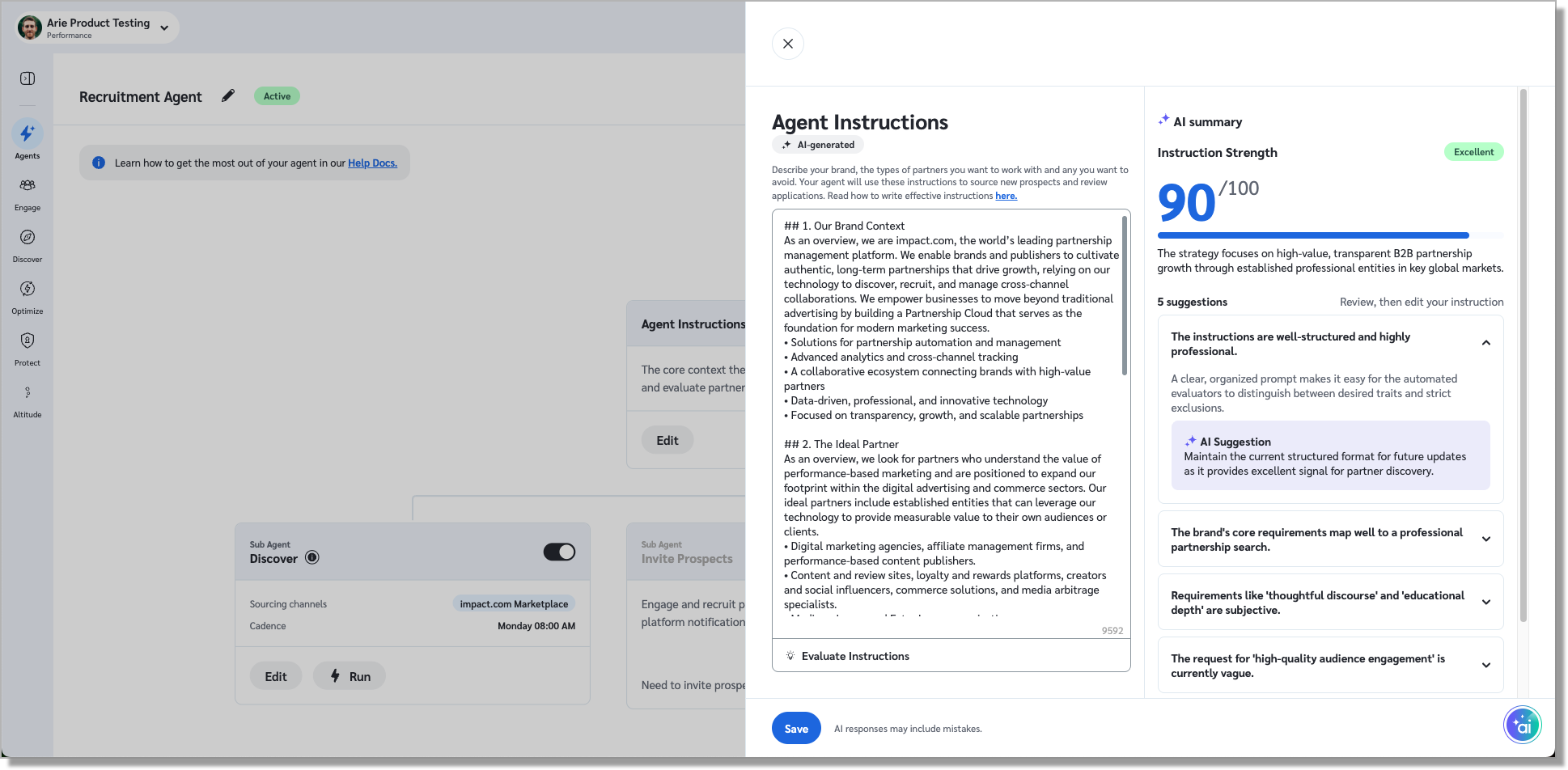
Start with a prompt. We'll draft one for you, under "Agent Instructions," and you can edit it to your heart's content. Pro tip: after you make changes, click "Evaluate Instructions" to see if there's anything you can improve.
Discover handles the proactive, biz dev side of things. It will search our Marketplace at whatever cadence you prefer and suggest the best partners based on your instructions.
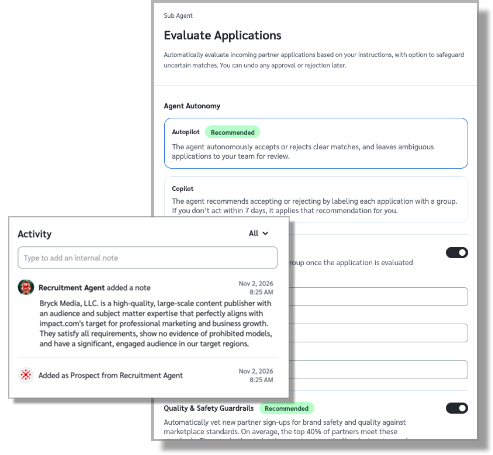
Evaluate Applications keeps your inbound queue in check, by reviewing incoming partner applications against your criteria. You can choose the level of automation and control you want: Autopilot to let it accept/reject applications on the spot or Copilot to provide a recommendation and give you some time to review before it takes action. Either way, it will only act on your behalf when it's confident. If it's not sure, it will leave the application as "pending" for you to review.
See why the agent made each decision. Click into any partner in your Prospects or Applications page and check the note in the Activity log.
Btw, if the agent ever gets one wrong, you can reverse its decision right from the Processed tab of your Applications page for up to six months.
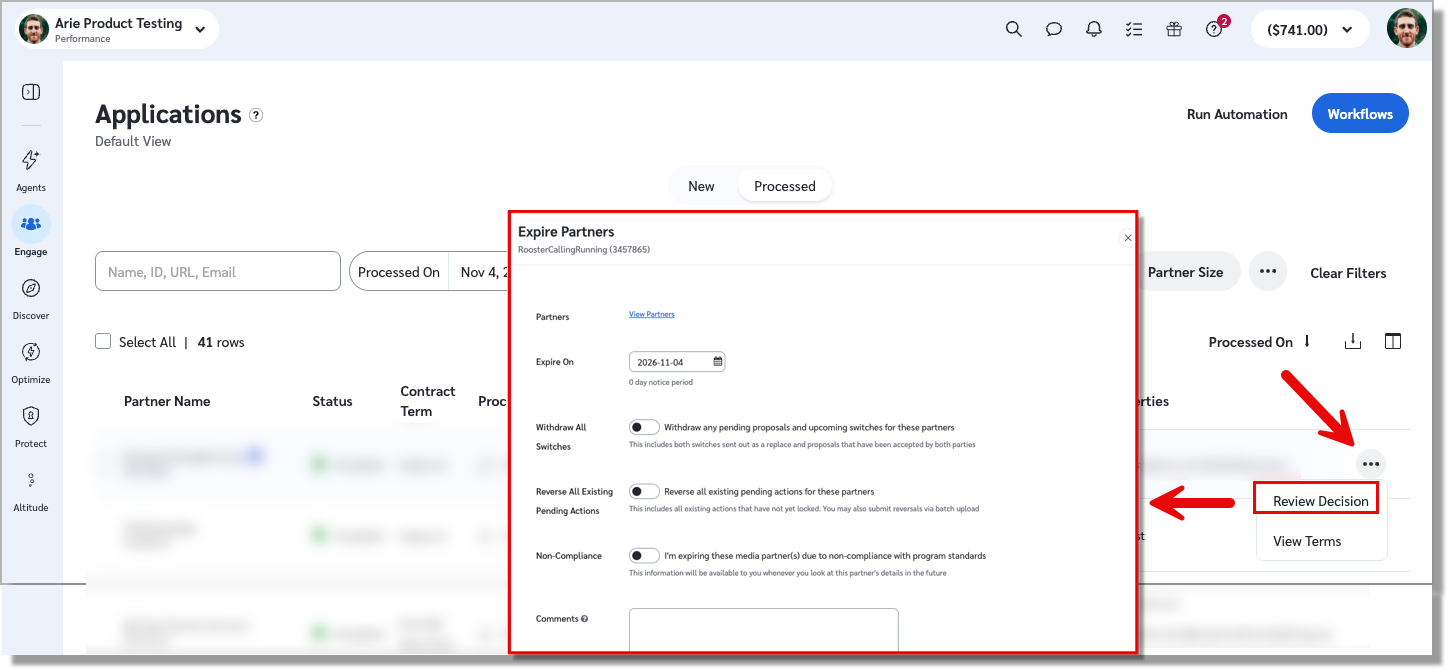
Note: there's no time limit to expire a partner. You can do that anytime, just as you always could. The new piece here is that you can reverse a rejection and add that previously rejected partner to your program instantly, with no additional approval needed on their end.
We've got a lot more in the works as we get ready for the official release, including:
An Invite Prospects sub-agent to handle the outreach and invitations automatically. In the meantime, you can set this up with the "Automate prospect invites" workflow template.
Additional partner discovery sources to find great partners who aren't yet using impact.com.
Head over to the new Agents tab in your left nav and get started today!
Available in: Performance, Creator, and Seller (Essentials and up).
Answer your partnership questions in your LLM
Ask Claude, ChatGPT, Cursor, VS Code, or your preferred LLM about your impact.com program and get answers from your live data. Turn on MCP access in your settings, connect your AI tool with a one-time OAuth sign-in, and you're done. There are no API keys to manage and nothing to build.
Most brands start by asking about program performance, and it's easy to see why. It's the most-used tool on the platform. You can even run an entire QBR in under a minute. Ask how your program performed last month, which partners drove the most revenue, or how conversions moved week over week, and you'll have an answer in seconds. You no longer have to build a report, filter and export to get the answers where you are already working.
When you're ready for more than a single question, try a skill. Skills are ready-made workflows that run the right tools in the right order, then hand you a clear answer with three next steps. We currently offer 13 brand skills, including the partner performance scorecard, partner discovery brief, action quality and reversal brief, campaign performance scorecard, program health check, and QBR brief.
It can only reach what you can reach.
Your admin turns MCP on, you sign in and choose your account, and answers come only from your own data, saying so when something is missing. Skills that create anything, like tracking links, confirm with you before they run.
Get started in minutes with the MCP Quick Start guide, then browse the brand skills and install the ones that fit your week.
Available in: All editions.
Set different timelines for each placement task in a campaign
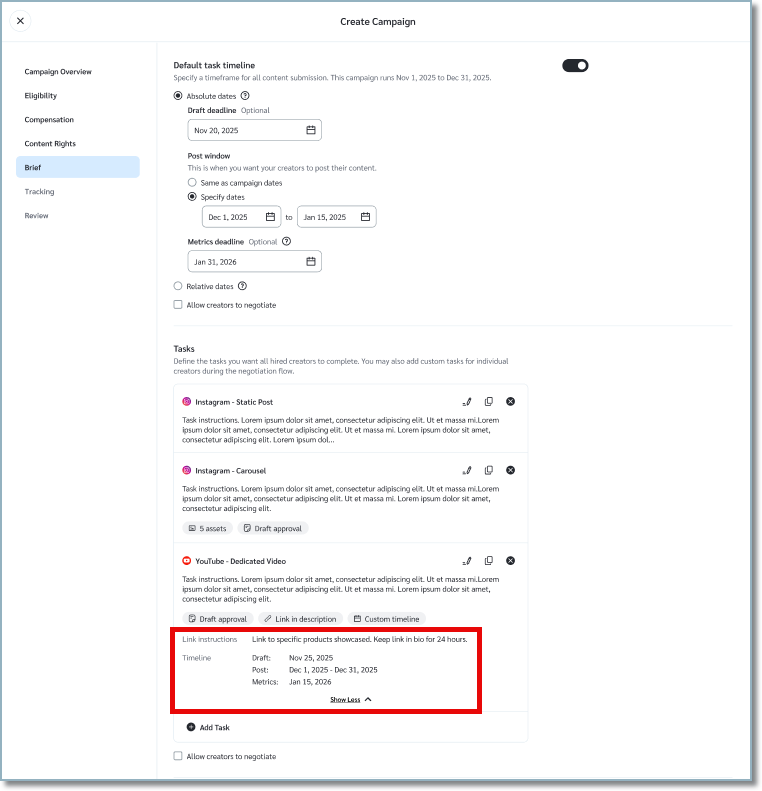
If one campaign includes both an Instagram story and a static post, you can now give each task its own schedule. Turn on Task Timeline for any task to set its draft deadline, post window, and metrics deadline.
A few things to know: task dates follow your campaign's timeline type and need to fall within the campaign dates, unless the campaign is evergreen. Each task timeline can run up to 100 days. If you change the timeline type after hiring, creators you've already hired keep their original dates.
Available in: All editions. Learn more in the help docs here.
Spend less time approving creator & partner deliverables
If you're running campaigns with lots of creators or partners, reviewing every deliverable adds up fast. Now you can skip that step.
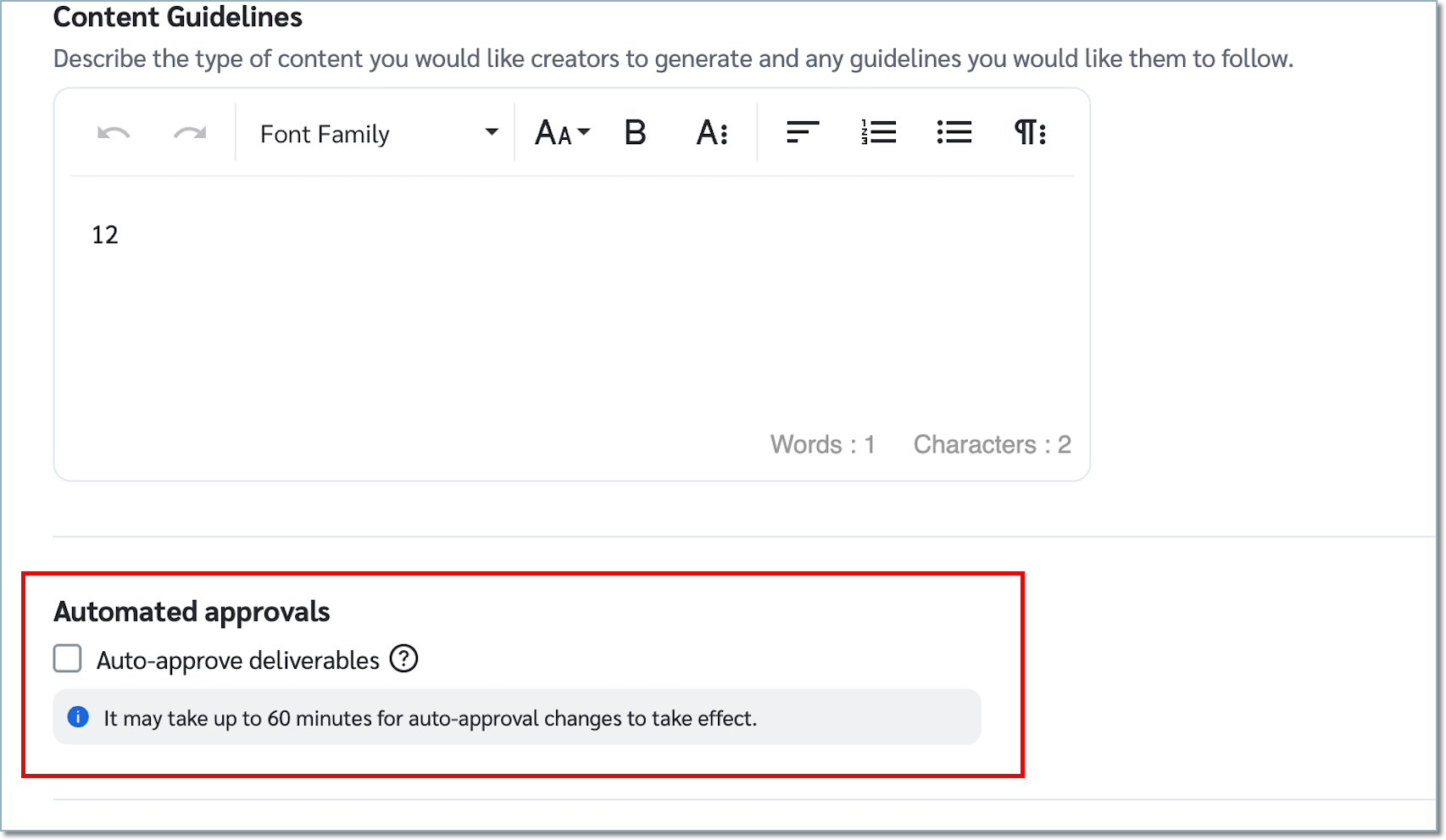
Check the box for Auto-approve deliverables in your campaign setup, and every deliverable in that campaign gets approved automatically, whether a creator submits it or Hashtag Content Linking finds it. It's off by default, so you decide which campaigns run hands-free.
Two things to know:
Changes to auto-approval can take up to 60 minutes to take effect.
If you update a campaign's hashtags, only creators hired after the change will use the new ones for content detection. Creators already in the campaign keep the hashtags from their original proposal.
Available in: All editions. Learn more in the help docs.
The latest in ask impact
Log support tickets without leaving the chat. When a conversation needs a support ticket, ask impact now opens the ticket form right there, already filled in with what you've told it. Tweak the details, attach files, CC a teammate, choose who on your account can see the ticket, and hit Create. Later, just ask "what's the status of my ticket?" and your latest tickets come back in the chat, with a link to the full ticket in the portal.
Get partnership answers grounded in IPX 2026. ask impact now draws on the IPX 2026 sessions when you ask about partnership strategy, and it tells you which session each answer came from. Ask how brands are using partnerships to drive sales at retail, or what was said on stage about agents and AI, and you'll get answers rooted in what the speakers actually said. Keep an eye on your welcome screen for new IPX prompts.
See your open tasks in one question. If your account uses Task Management, you can ask ask impact what's open on your program. Overdue items come back first, or you can ask for just the overdue ones. When you're ready to act, the "Take Me There" link drops you on the tasks page, where you can create and complete tasks as usual.
ask impact continues to get better with each new capability added, and the team is already working on some really cool ones in our next release.
Available in: Performance and Creator (Essentials and up).
Secure your API access tokens before peak
Your Auth Token can make API calls on your account, up to the scopes you granted, so it's worth a quick check before peak. Here's what to look at:
Grant only the scopes each integration needs.
Use a separate token for each integration and environment.
Store tokens in a secrets vault, never in code, email, or chat.
Reset tokens when teammates leave or change roles, and disable any you no longer use.
If a token may have been exposed, reset it and update the integration.
As part of this release, we are making integration templates available, allowing you to connect integrations without picking API permissions by hand. Integration Templates create an access token already set up with the permissions a supported integration needs, so you don't have to work out which ones to tick. Go to Settings → Technical → API → Browse Integrations, pick your integration, and follow the prompts. Only a small set of integrations is available at launch, and more are on the way.
Guides: Create an API key · Scoped token best practices · Keep your access tokens secure
Heads up! Extended Search is leaving the menu
Since this spring, we've had a notice about Extended Search no longer being maintained, and we are removing it from the navigation in this release.
If you used it to find creators outside your program, use Creator Search. It returns live data, and many more results per search. If you used it to find publishers outside your program, or to start a search from a prompt, use the Recruitment Agent and reach out to your CSM about the private beta with Breezy.
Available in: no editions, anymore :(
Coming soon: Track the paid placements you've already booked
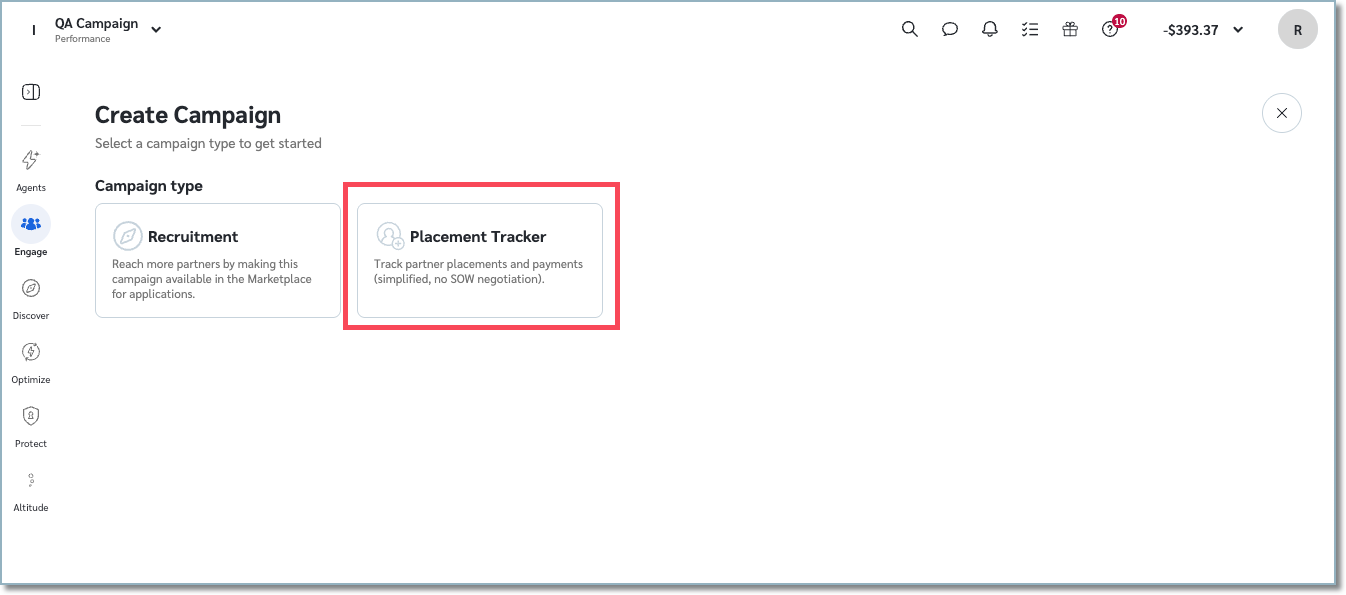
If you've booked a paid placement with a partner already in your program, that deal probably lives in a spreadsheet, and the invoice lives in someone's inbox. Placement Tracker Campaigns brings it all into impact.com.
Set it up like a retainer. Create a campaign, add each placement with its flat fee and run dates, and assign the partner. There's no invite, negotiation, or hiring step, since you've already done that part. Add a CPA if you want to reward performance on top of the fee.
From there, pay each placement in Payments and track performance on every placement, so you know which ones are worth booking again.
Available in: All editions. Learn more in the help docs here.
