- DATE:
- AUTHOR:
- The impact.com team

What's new in Performance: January 2026 release notes
Discover, activate, and measure creators faster with YouTube BrandConnect
We are now bringing YouTube BrandConnect directly into the platform, making it easier to find the right YouTube creators, activate partnerships quickly, and measure real results.
This integration gives you access to YouTube-verified, opt-in creator and audience data, so you can confidently invest in creators knowing their audiences align with your campaign goals. Creator Search for YouTube now surfaces activation-ready creators only i.e. creators who have opted into brand partnerships and can be contacted immediately, helping campaigns launch faster with less back-and-forth.
All data shared through BrandConnect follows YouTube’s platform policies and global regulations, ensuring accuracy, trust, and long-term reliability. Here’s what’s changing:
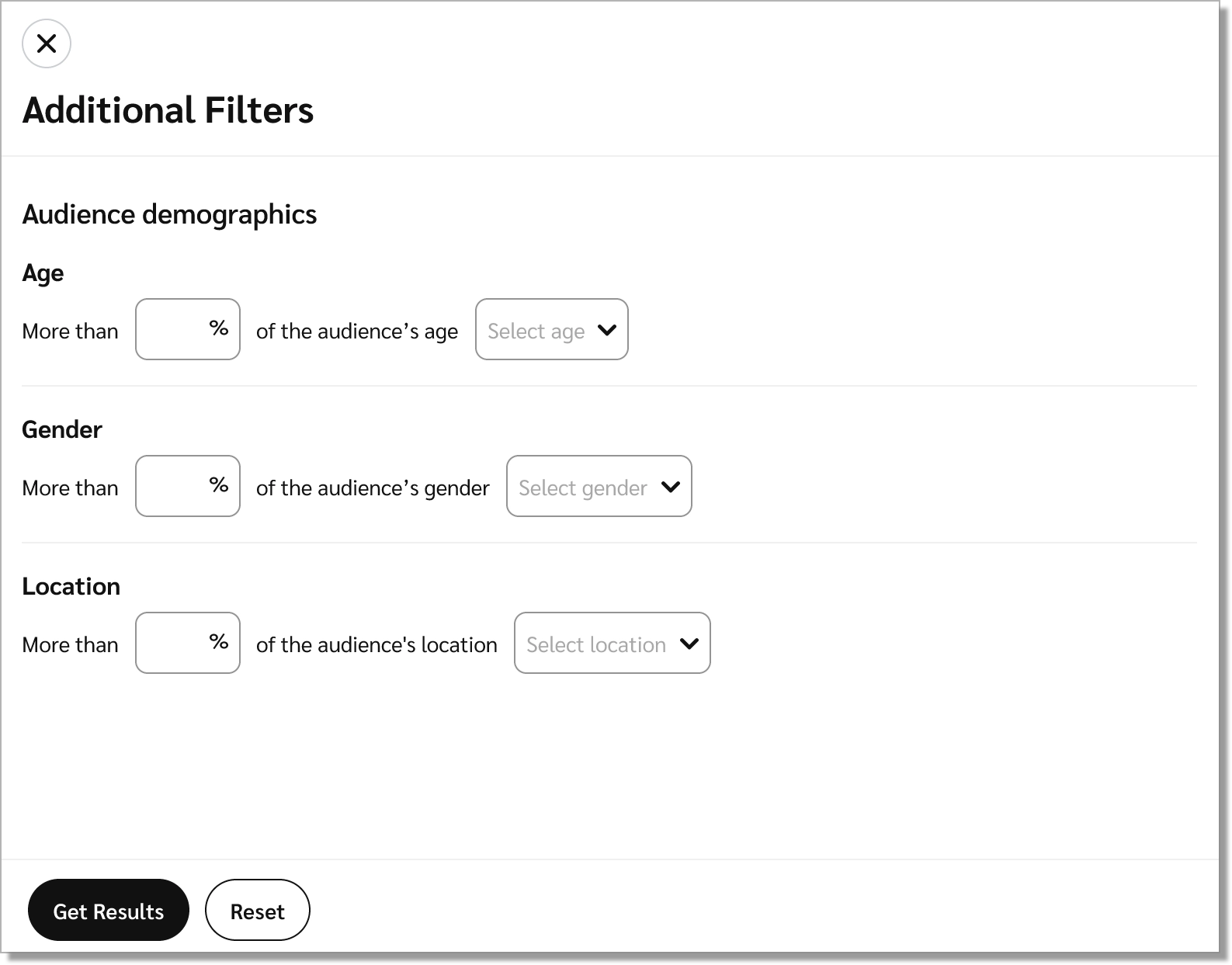
Refined filters for higher quality discovery: Creator Search now prioritizes quality over quantity. To align with YouTube’s data-sharing standards, search results and creator profiles reflect creator-consented data only, replacing inferred or estimated signals with verified insights. While some previously inferred filters are no longer available, the profiles you see are more complete, consistent, and reliable.
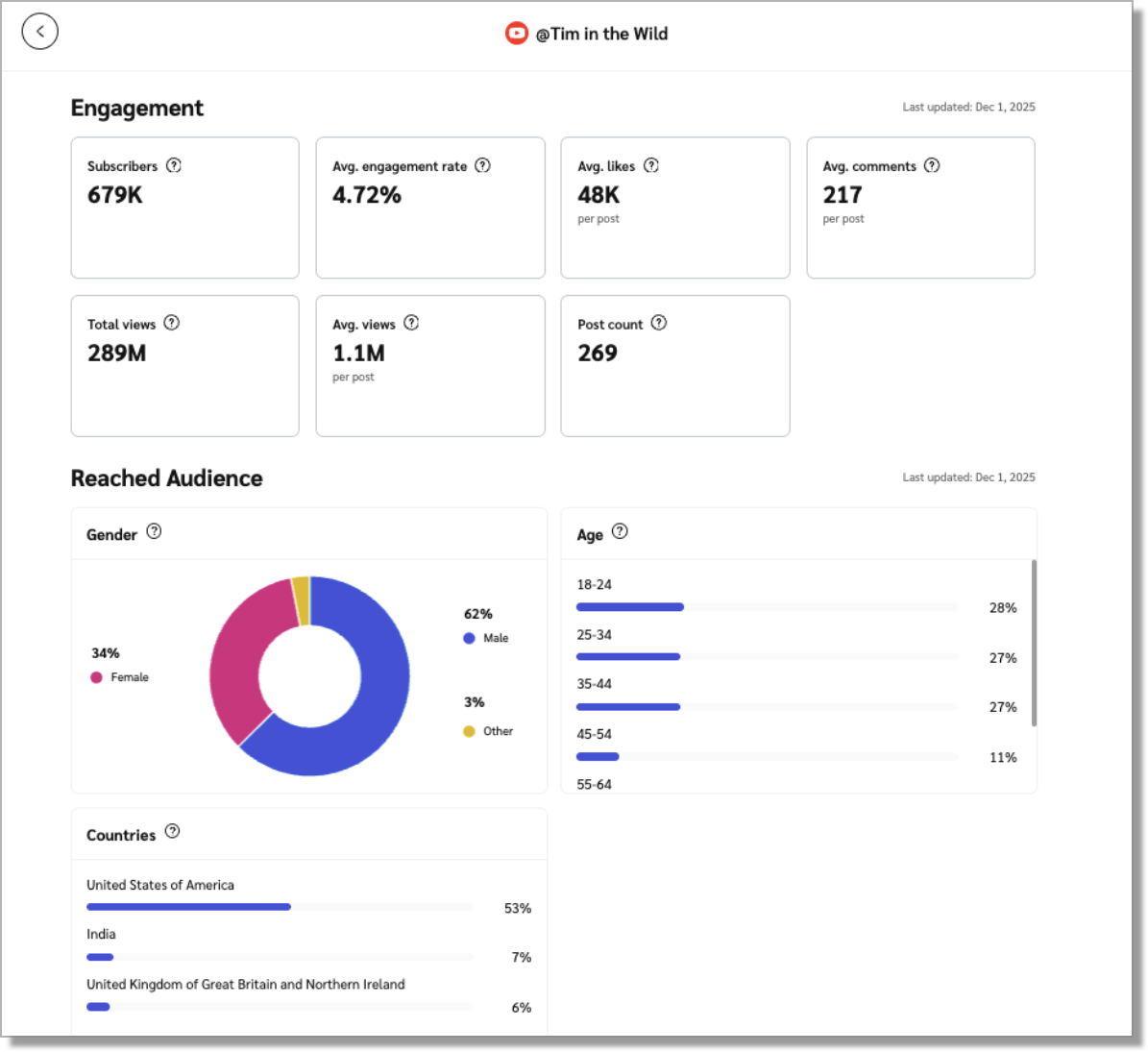
Richer, more complete creator profiles: Creator profiles are now richer and more informative, with verified audience and performance metrics sourced directly from YouTube.
Unlimited, real-time results: Our YouTube BrandConnect integration removes the previous 500-result cap from Creator Search, delivering up to 24,000, real-time, data-driven matches so you can discover the perfect creators faster.
Geographic restrictions: BrandConnect data are restricted in certain geographies, including China. As a result, Chinese brands will not see the YouTube Creator Search tab, though brands in Hong Kong are still permitted. This ensures compliance with Google’s platform rules and protects impact’s long-term partnership.
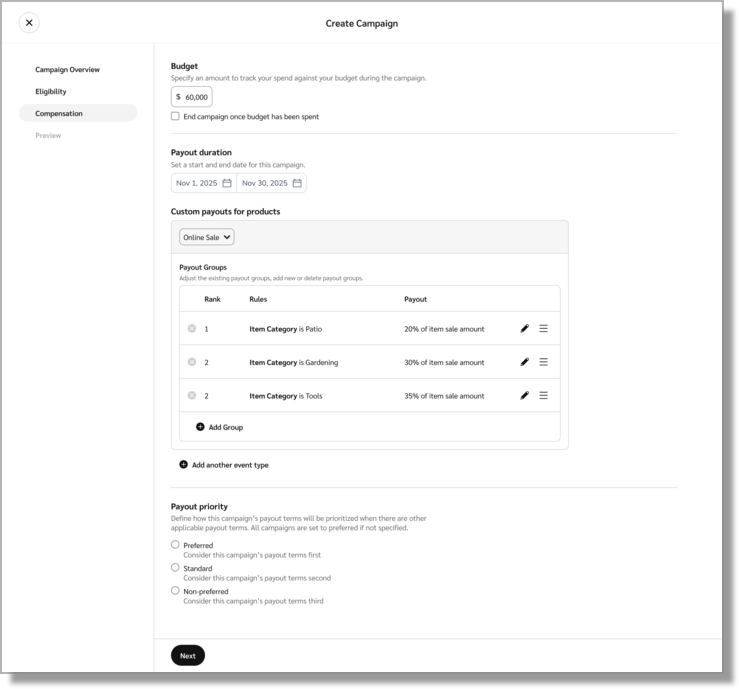
Product Boost: Stay in strategic control with Payout Priorities
When multiple Product Boost campaigns overlap, you need to know your budget is going to the right place. We’ve introduced Payout Priorities, a new feature that lets you rank your campaigns as Preferred, Standard, or Non-Preferred. Now, when a customer takes action, the system automatically matches the payout to your highest-priority campaign. This ensures your costs align with your strategic plan.
Reminder: We are sunsetting legacy API tokens
We’re transitioning to Scoped API Tokens, a more secure and manageable way to control access. Here are some of the key dates and info you need to know:
March 2026: Scoped Tokens will be required for all new integrations or credential resets.
Existing integrations using legacy tokens will continue to work without disruption.
You can now edit Deals with past start dates
We’ve improved how start dates behave when editing existing deals.
You can now save edits to deals that already have a start date in the past, as long as the start date is not changed.
If a deal doesn’t have a start date, you can set one for today or a future date.
Start dates can’t be updated to a time in the past.
This update makes it easier to manage active and historical deals while still preventing invalid date changes.
Onboard prospects at scale
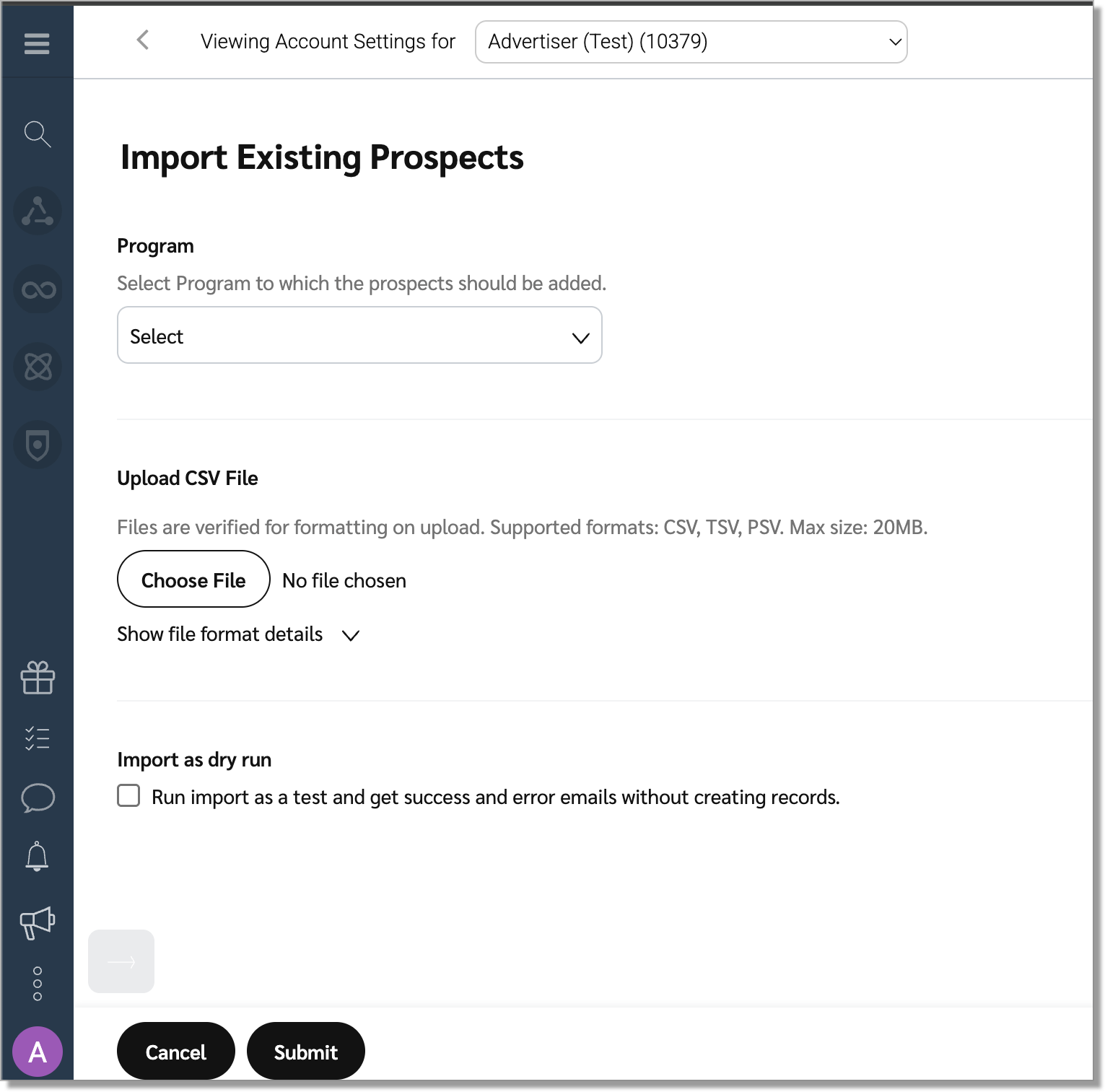
Save time and grow your partner network faster with Prospect Import, the streamlined way to upload, organize, and recruit large prospect lists directly within impact.com. You'll find it in your Settings page, under Tools.
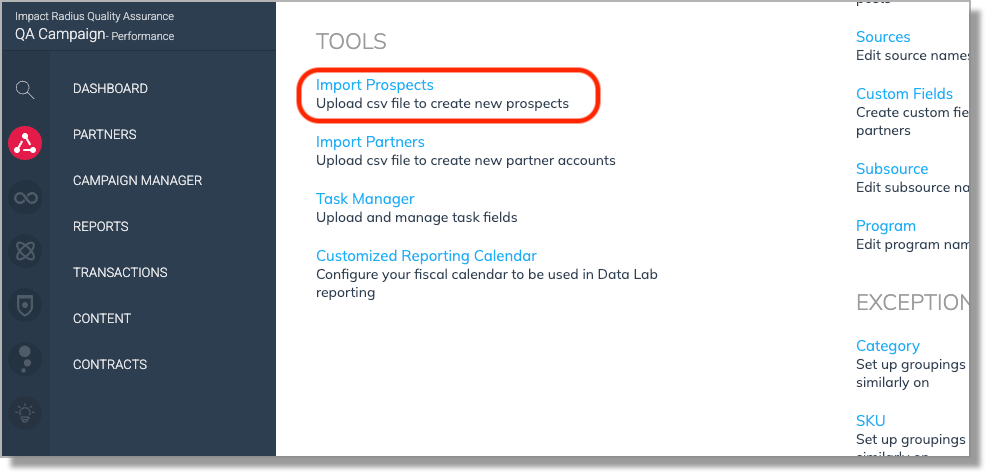
Prospect Import lets you add prospects via CSV upload and immediately begin recruiting them. This means you can focus on growing your partner network instead of wrestling with spreadsheets or third-party platforms.
Once imported, prospects appear under Discover > Prospects, where you can filter by import source or group and pair them with workflows to automatically send invitations, follow-ups, and auto-accept them into your program.
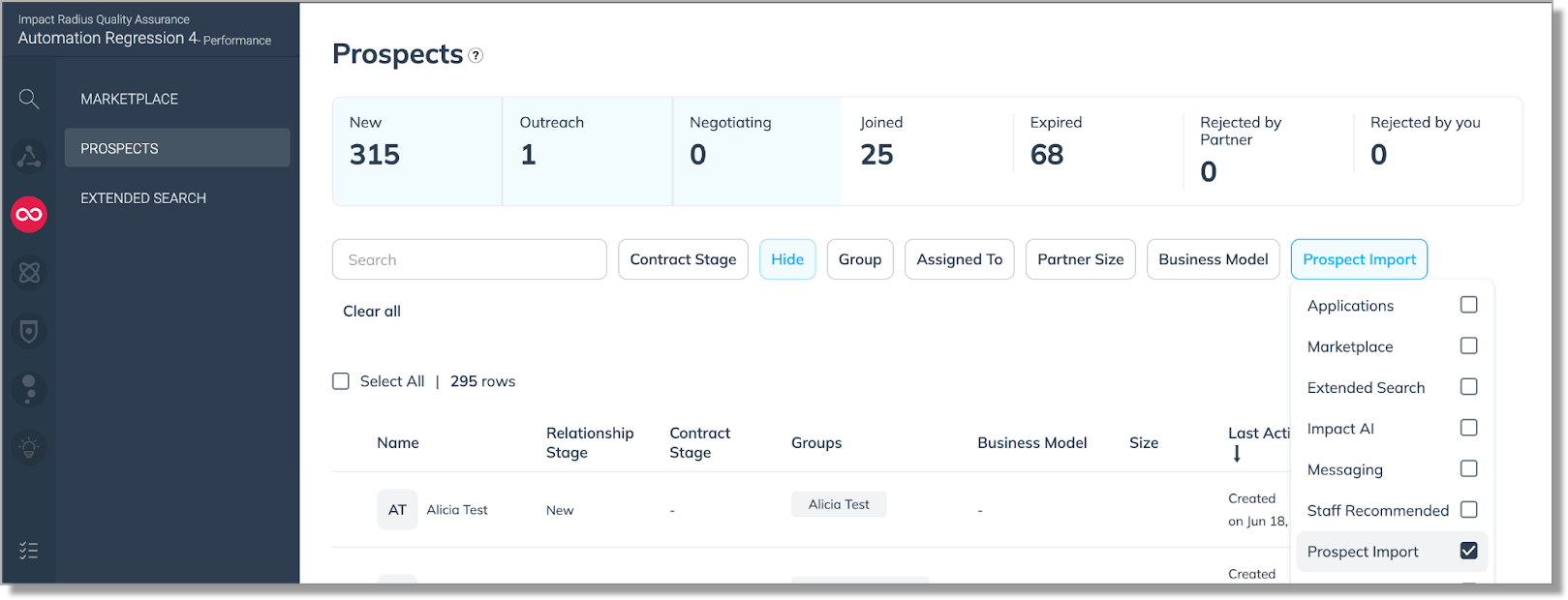
This streamlined process allows you to recruit at scale, whether you’re adding brand-new prospects keeping relationships active and revenue flowing.
When you upload your CSV, the import tool quickly checks for formatting issues and duplicates. If you see a “successfully submitted” message, it means your file passed this initial check. After processing, you’ll receive an email summary showing which prospects were successfully imported and highlighting any errors, such as missing groups or invalid data. The tool will also match your prospect list to existing impact.com accounts.This way, you always know the status of your import and can take action if needed.
When uploading your CSV, keep in mind that the file size is limited to 10,000 rows of prospects and 20MB per upload.
