- DATE:
- AUTHOR:
- The impact.com team
More intuitive experience across Campaigns, Payments, and Storefronts
This release focuses on making Creator Edit easier to use, faster to navigate, and more transparent for both brands and creators. From improved campaign workflows to better storefront organization and simplified payments, these updates reduce friction at every step. The result is faster execution, clearer collaboration, and a more seamless experience across the platform.
Updates for Creators
Redesigned Campaign Experience – Clearer, Faster, and More Transparent
We’ve fully redesigned the campaign experience in Creator Edit to make it simpler for creators to view, apply to and negotiate campaigns, and complete campaign tasks.
Viewing campaigns
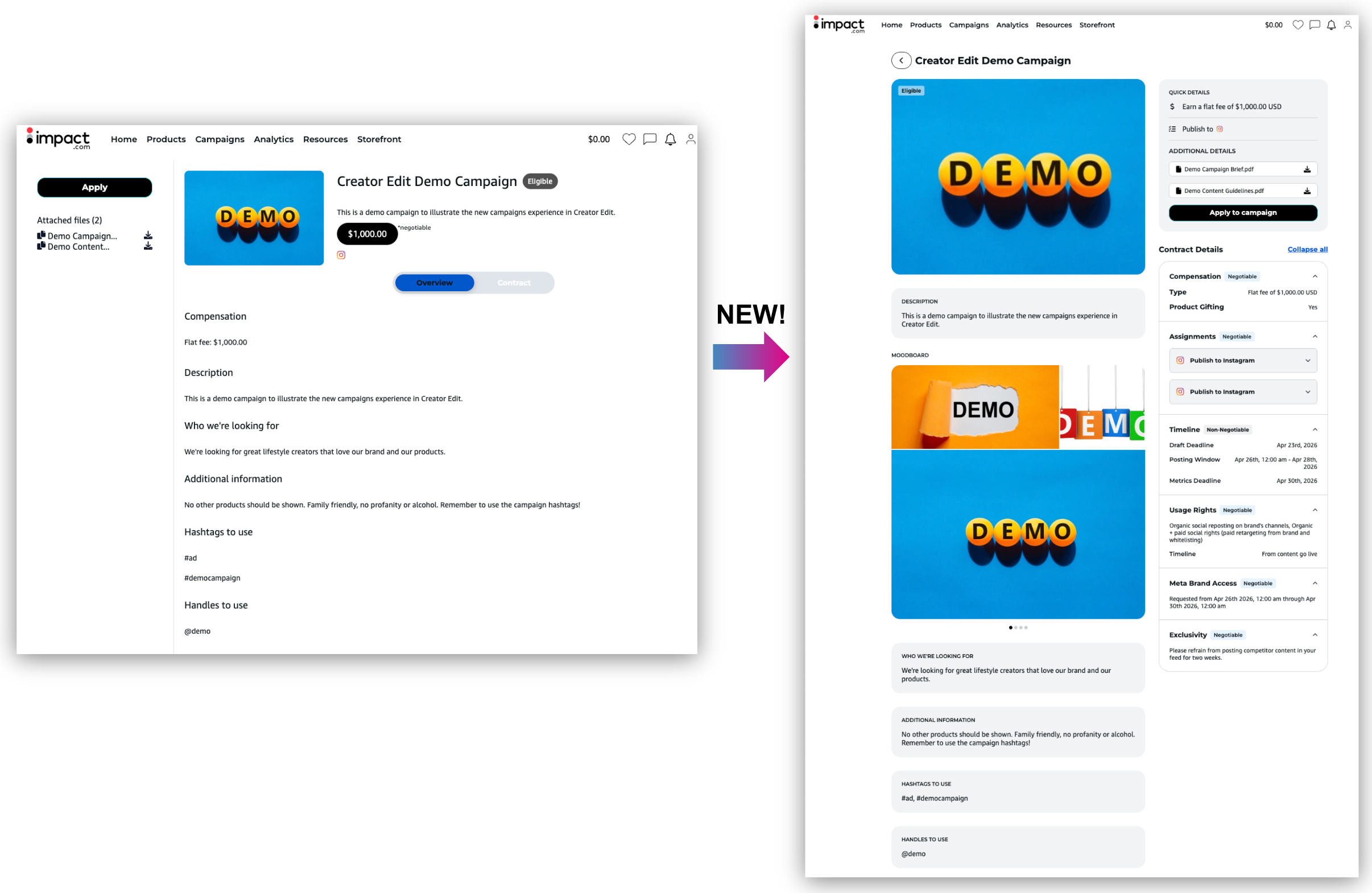
The campaign details page now has a modern, cleaner layout that highlights key information up front. Contract terms, proposed statement of work, and campaign requirements are summarized clearly, with additional details organized in a way that’s easy to navigate.
A new mood board is included to give creators visual inspiration for the campaign.
Campaign brief documents are now more visible
Mobile layouts have also been improved for a smooth experience on any device.
Applying to a Campaign
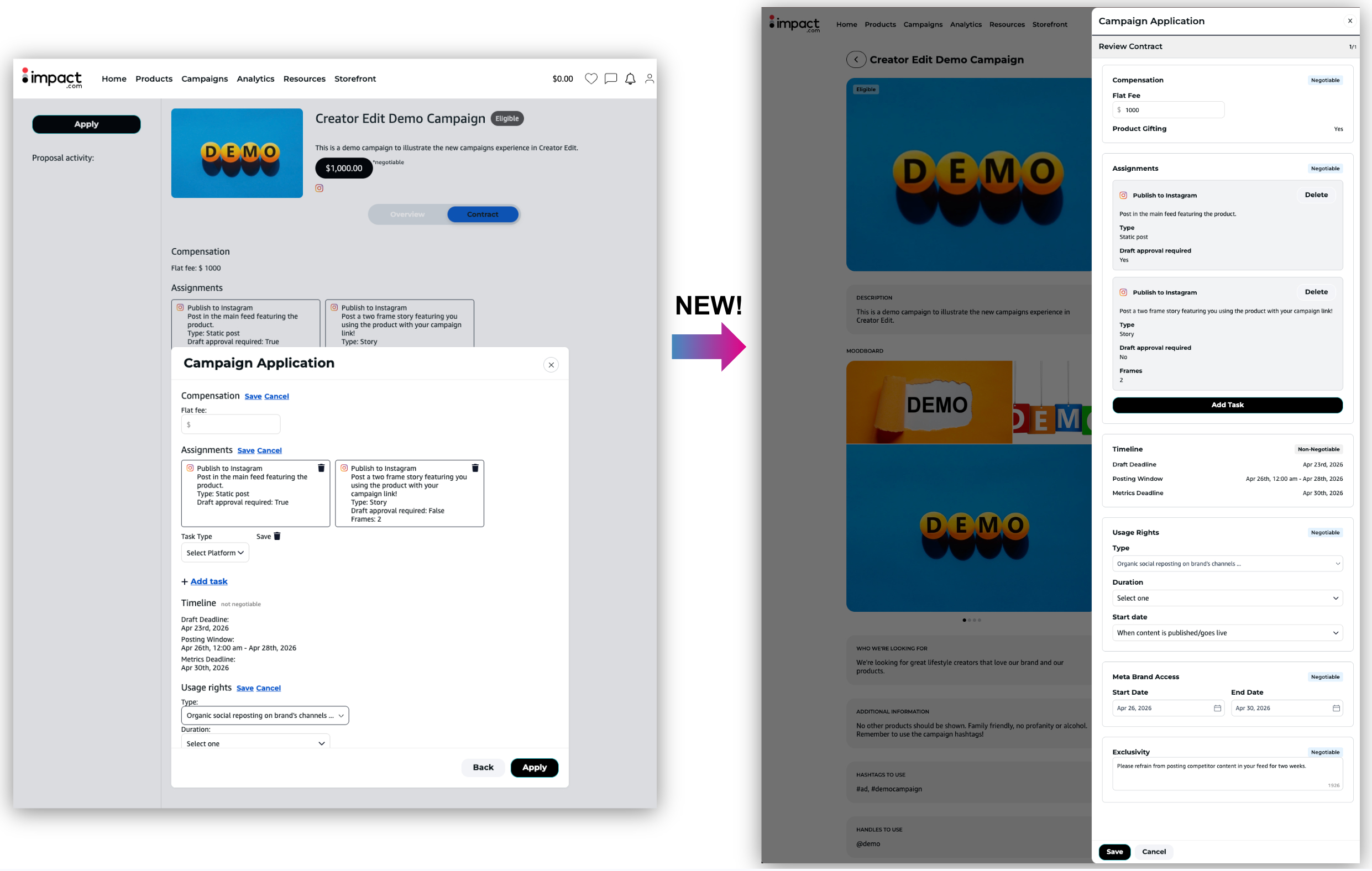
The application flow is now intuitive and consistent.
Creators see all key information (compensation, tasks, and negotiation options) in a single, streamlined form. If negotiation is allowed, they can propose changes directly in-line, without toggling between buttons or screens.
Dynamic banners indicate application or negotiation status, keeping creators informed at every step.
Negotiation history is neatly summarized and always reviewable
Applications are faster and more accurate, with less follow-up needed.
Participating in a Campaign
Once a creator has been hired, the campaign experience is cleaner and more transparent:
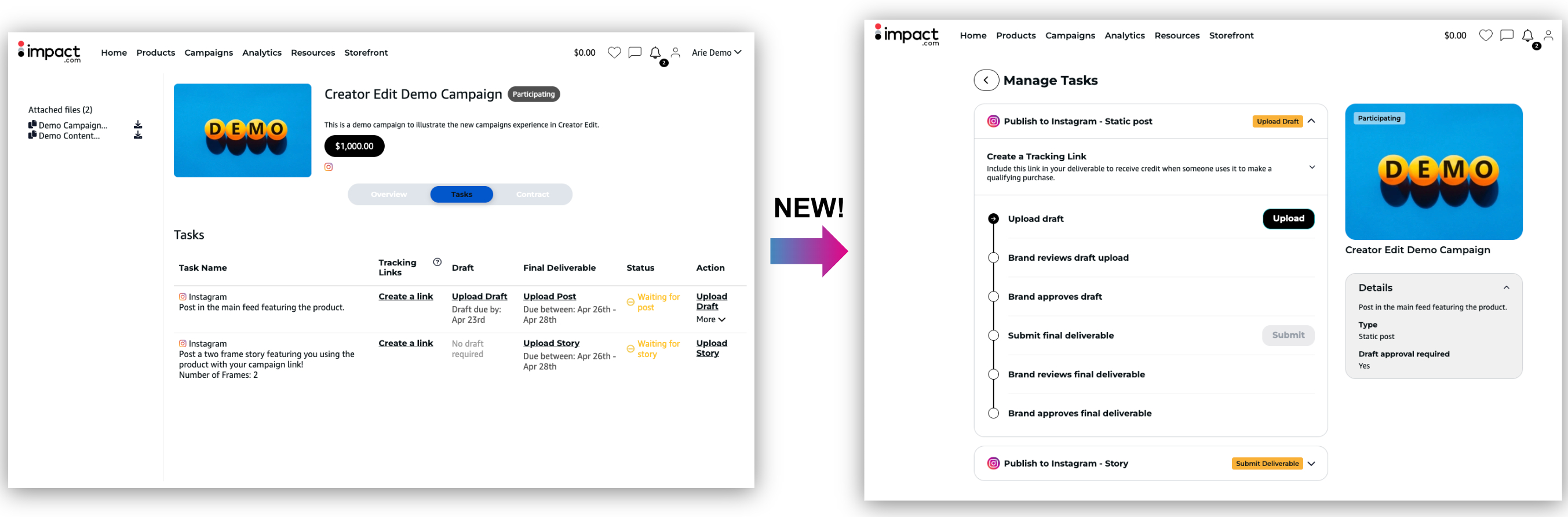
‘Manage Tasks’ is visible in both the top banner and bottom of the page for easy access
Contract and negotiation history is now fully visible in one organized place. If a creator negotiated with the brand, every version of the negotiation is displayed, including dates, times, and changes made.
Tasks are displayed as step-by-step checklists, showing where each draft or deliverable is in the process.
Drafts and final submissions are fully visible in-platform, including uploaded files, captions, and brand feedback.
Submission history for drafts and deliverables is tracked, so creators and brands can see what was submitted, approved, or rejected, with timestamps and notes for transparency.
Mobile-friendly design ensures creators can manage tasks from anywhere.
Redesigned Payments – Faster Setup, Clearer Actions
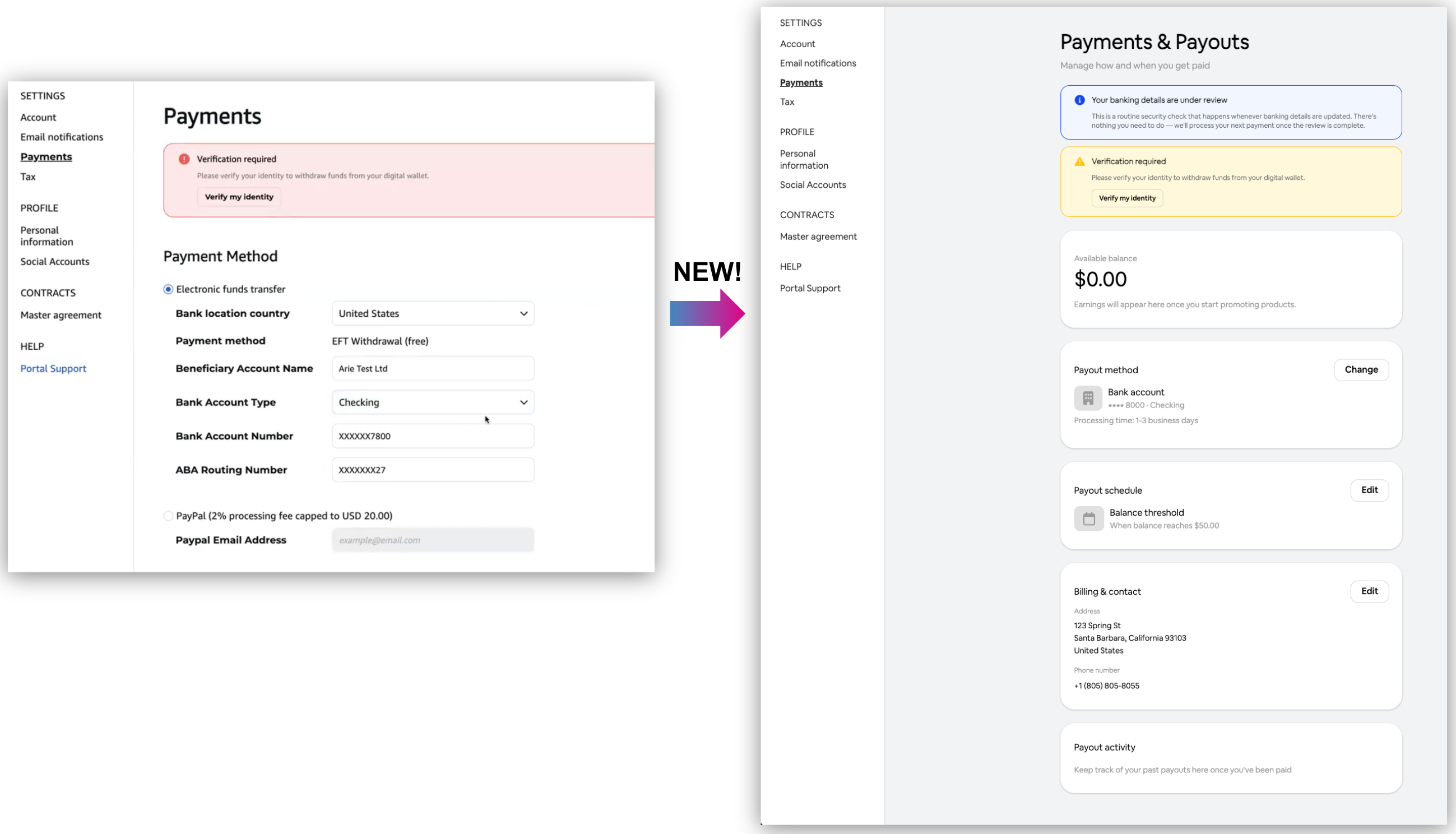
We’ve redesigned the payments page to make it easier for creators to set up and manage their payouts, banking details, and any payment issues.
When a creator first enters the payments page, they now see a simple checklist guiding them through three key steps:
Adding a payout method – Creators can choose between a bank account or PayPal.
Choosing a payout schedule – Options include threshold-based or monthly payments.
Entering billing and contact details – Creators provide billing and contact information.
Once saved, creators can view all their financial details, including recent withdrawals and full payout history, in an organized, card-based layout.
Available Balance – Displays the funds currently available for withdrawal.
Payout Method – Allows creators to view or update their bank account or PayPal details.
Payout Schedule – Shows when payouts will occur, either based on a threshold or a set date each month.
Billing & Contact – Displays the creator’s address and other contact information.
Payout Activity – Shows the three most recent withdrawals, with the option to view the full withdrawal history report.
The page also introduces clearer alerts and actions. Messages are now categorized as Info, Warning, or Error, giving creators clear guidance on urgency:
Info: Routine updates or security notices that don’t require action.
Warning: Issues requiring attention soon, such as identity verification.
Error: Critical problems that must be fixed to receive payments, like invalid tax forms or incorrect bank details.
Notifications include clear instructions and CTAs, reducing confusion and helping creators resolve issues quickly.
Identity verification is fully integrated, allowing creators to complete verification without sending IDs via email, reducing delays and support requests.
This redesign ensures creators can set up, manage, and troubleshoot payments efficiently, reducing delays and errors. Clear alerts and step-by-step guidance help campaigns stay on track, giving brands confidence that creators are paid accurately and on time.
More Control with Customizable Storefront Tabs
Organize Storefront with customizable Tabs
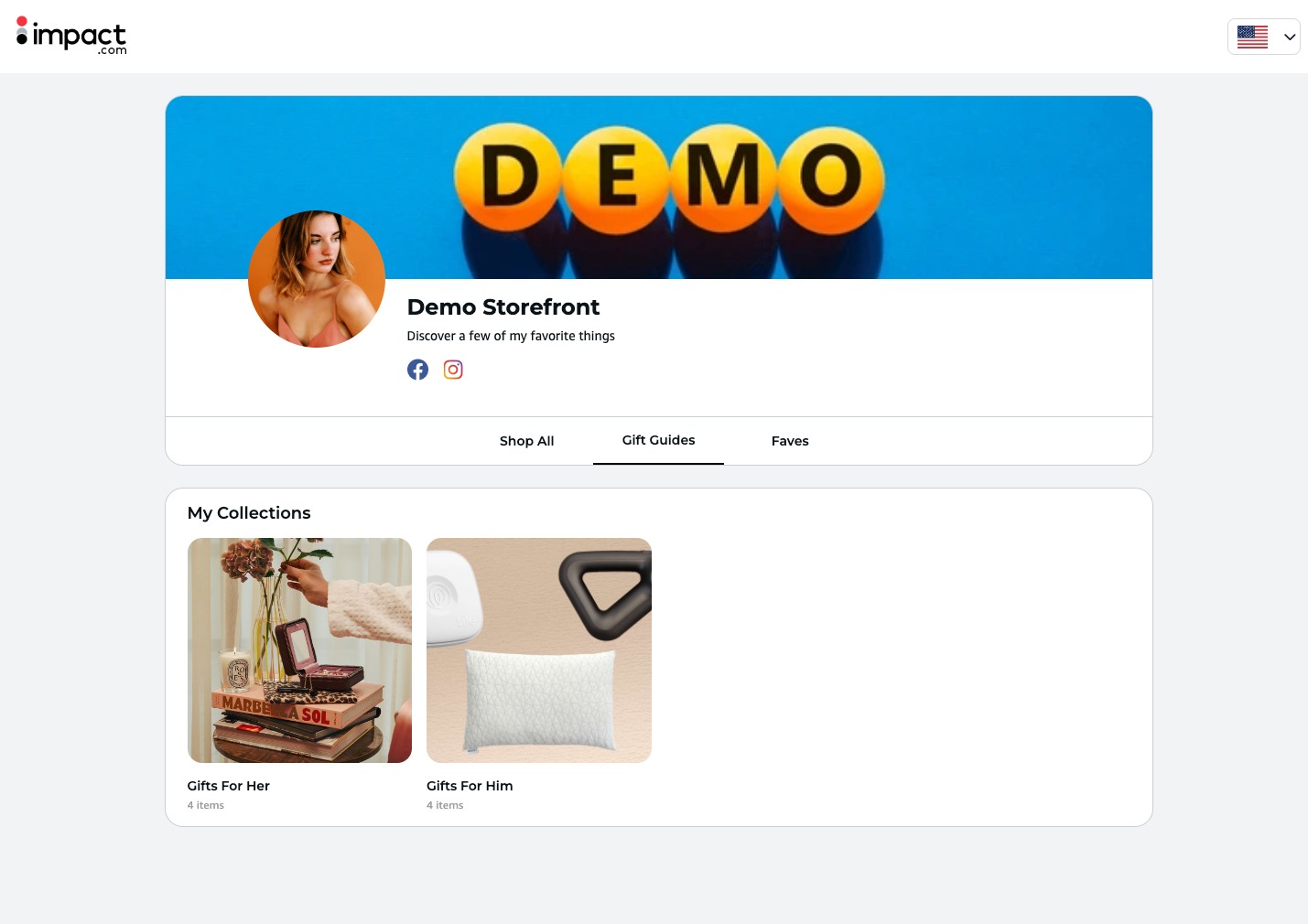
Creators now have more control over how their storefronts are organized, making it easier for brands to explore products and content. Every storefront includes three default tabs:
“Shop All”, which automatically shows all products from every collection and post
“Collections”, which displays all of a creator’s collections, and
“Posts”, which shows all their posts.
Creators can rename or turn off these defaults if they don’t want them displayed.
Beyond the defaults, creators can add up to 10 custom tabs to highlight specific collections and posts. Each custom tab can be renamed, reordered, hidden, and comes with a shareable link to easily promote content. There are no limits to how many collections or posts can be included on a custom tab, giving creators complete control to curate their storefront and showcase the content most relevant to their audience.
Storefront Header – Cleaner, More Modern Design
We’ve redesigned the storefront header to look modern and polished, even when a creator hasn’t uploaded a cover image. The layout now automatically centers content and uses space more efficiently, giving every storefront a cleaner, more professional appearance.
Bulk add products to collections
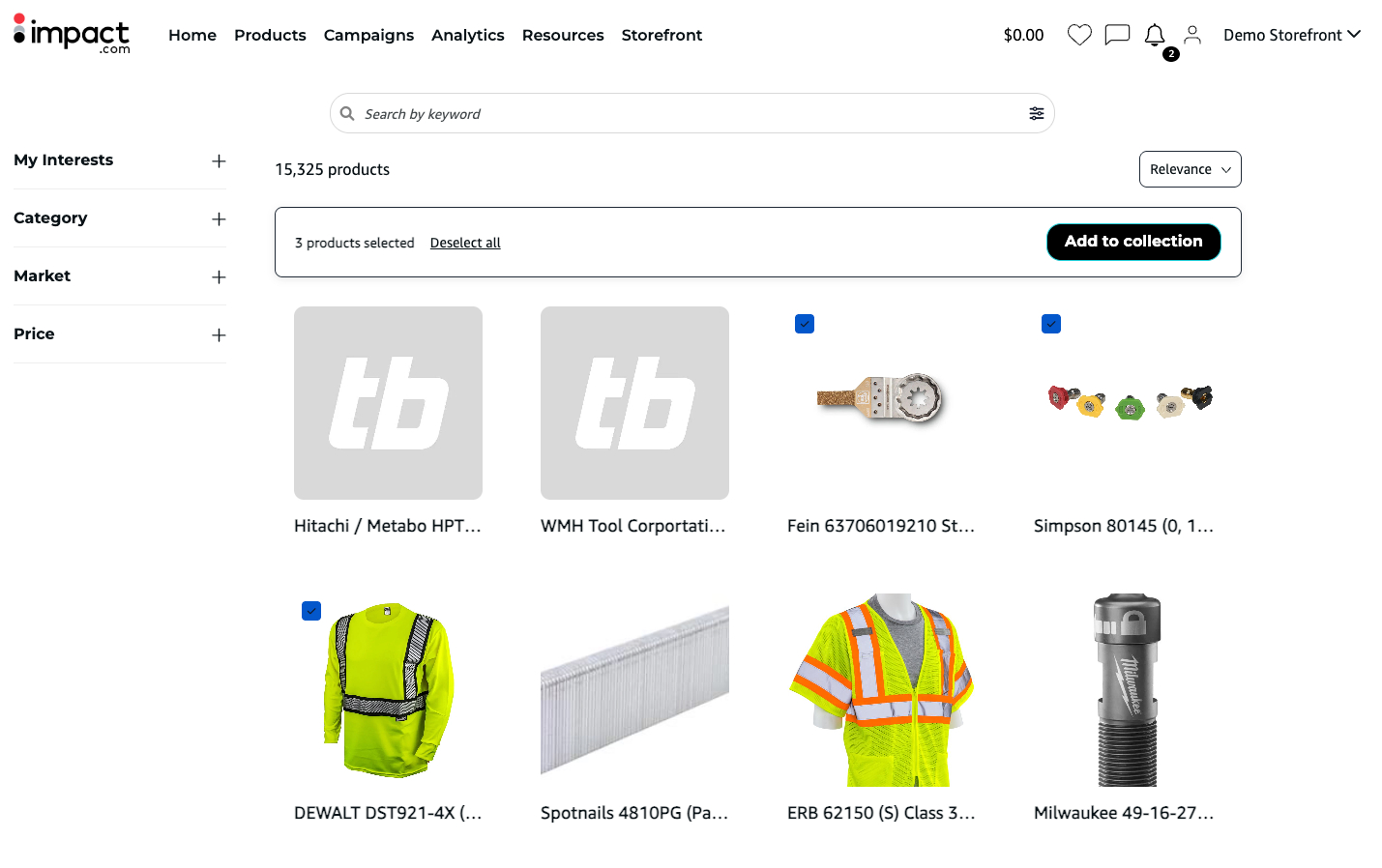
Creators can now select multiple products at once and add them to a collection in a single click. They can now build collections in seconds, dramatically reducing manual work and speeding up campaign execution.
Updates for Brands
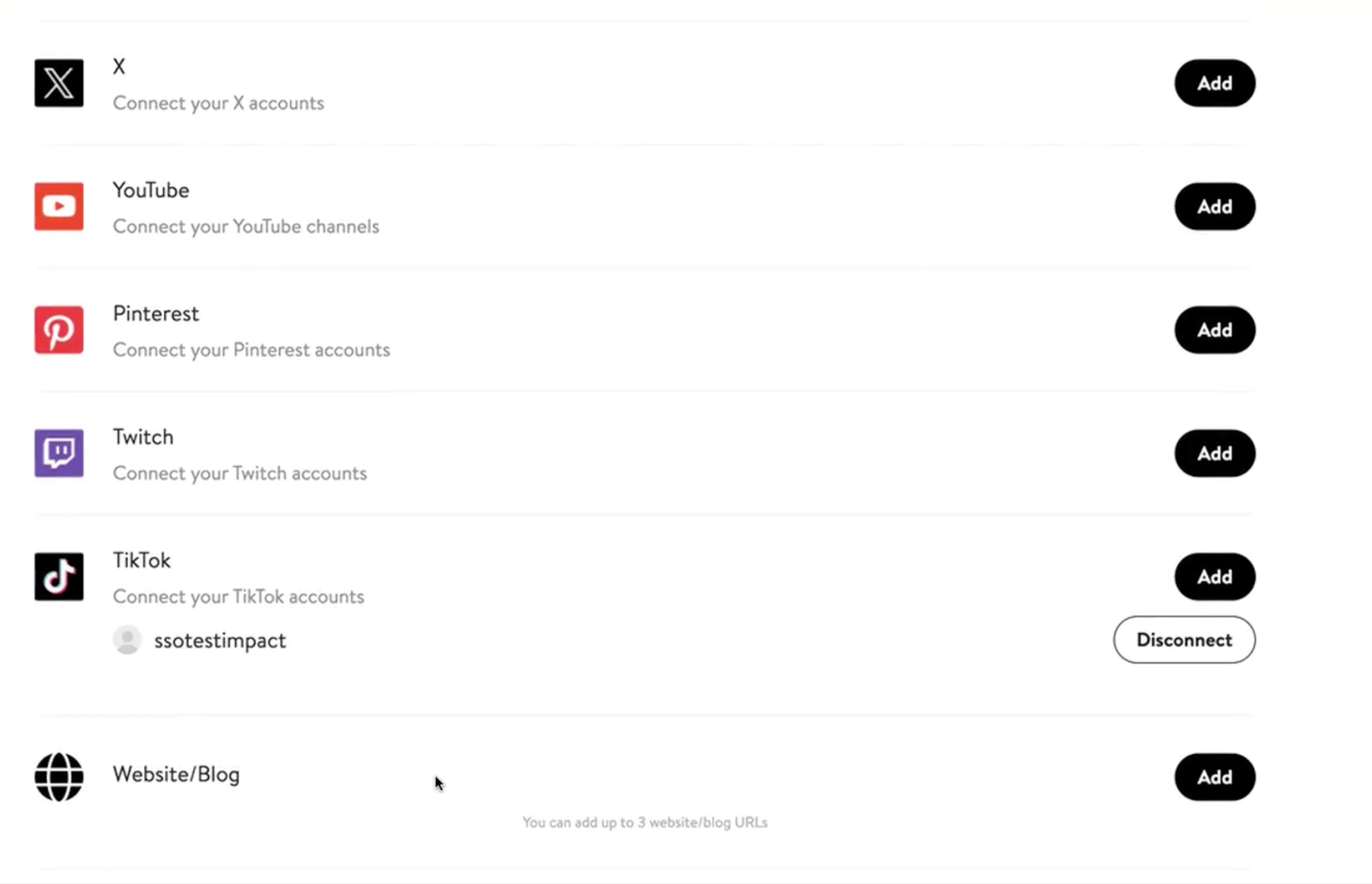
Creator can add Website or Blog as a media property
Brands can now allow creators to include websites or blogs as part of their profile, in addition to social channels. Once activated, creators can add up to three websites or blogs during onboarding or update them later in their settings.
This makes it easier to discover and work with bloggers and non-social creators, expanding your partner pool beyond traditional platforms. These properties appear across applications and partner profiles, giving you a more complete view of each creator.
Note: This feature is optional and must be enabled per brand. It is off by default.
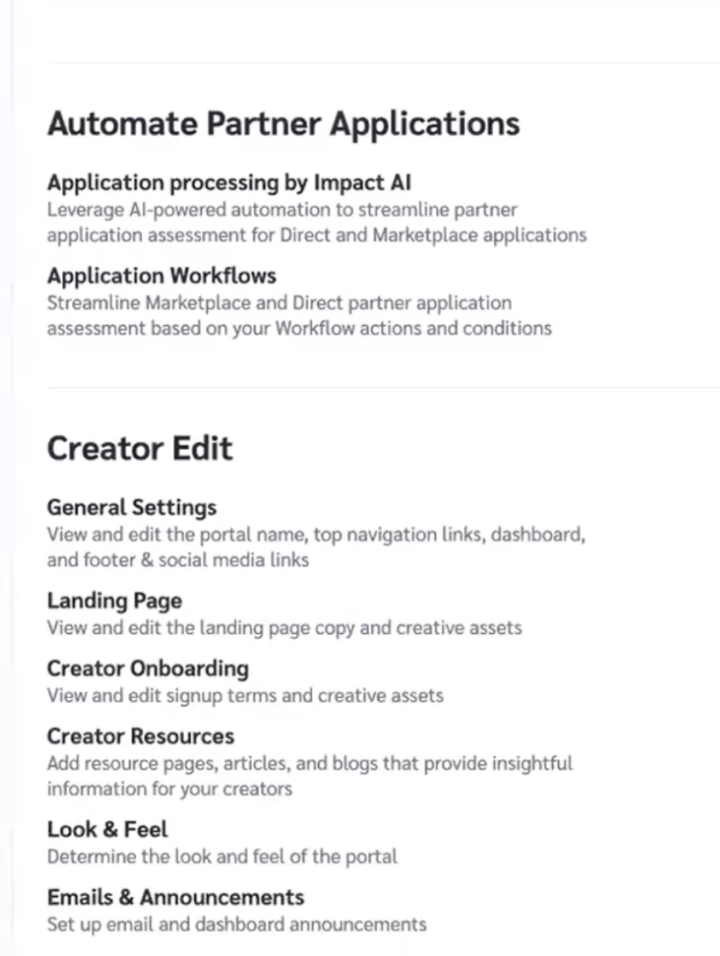
Creator Edit Settings – Now Built Directly into Your Brand Account
We’ve moved all Creator Edit admin functionality directly into your brand settings, creating a more streamlined experience.
You can now manage emails, onboarding, the splash page, and resources all in one place — without needing a separate creator login.
We've also added several new admin settings, accessible directly in Settings → Creator Edit.
“Look & Feel” customization, allowing brands to update colors, fonts, and dashboard widgets directly. Changes are applied immediately, so caution is advised.
Email templates now include all available tokens in the UI, making personalization easier without needing manual adjustments.
Dashboard widget reordering allows brands to adjust the layout themselves, improving navigation and visibility for creators.