- DATE:
- AUTHOR:
- The impact.com team
New powers for ask impact, sharper partner revenue insights, and more
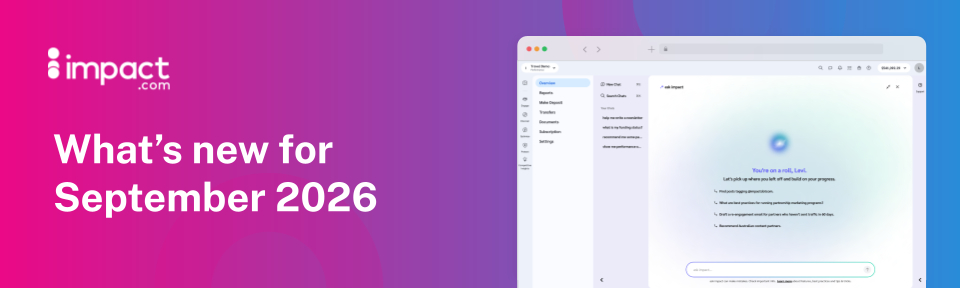
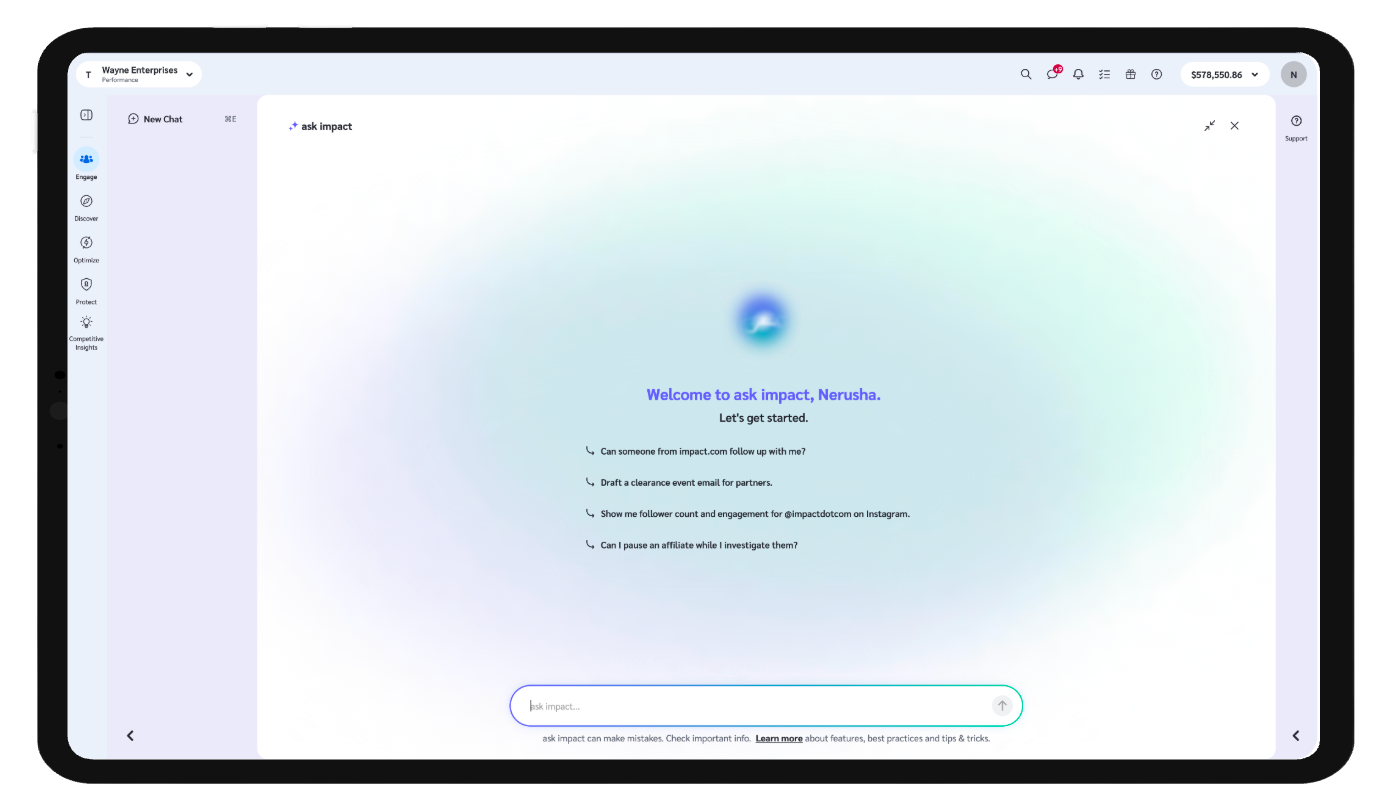
ask impact - brand new capabilities to give you the edge
A new set of capabilities is live in ask impact. More ways to visualize your data, faster answers when something looks off, invoice and order details without leaving chat, and industry insight grounded in real expert conversations.
Here’s what's new:
More ways to see your data
Ask for a stacked bar chart, horizontal stacked bar chart, scatter chart, or donut chart, and ask impact renders it directly in chat, in your account's currency and language. A few things worth trying. You no longer have to copy these out of the chat either, as every chart and table in chat is downloadable in either CSV, Excel, or PDF, including past conversations.Faster answers when something looks broken
When you describe a possible issue with the platform, ask impact now checks status.impact.com before giving a documentation answer. If there's a known incident, you get the details and a direct link to the status page. If the platform is clear, it says so, then continues with the relevant documentation. If neither resolves it, ask impact offers to start a support ticket flow.Invoice questions, answered in chat
Ask about partner payment invoices without leaving chat. Status, dates, totals, line items. Look up a specific invoice number, query by date range, or ask for a summary across a period. ask impact pulls live data, so answers reflect what's actually in your account. Note: we are still working on platform-fee invoices.Order status, looked up in chat
Ask about up to five order IDs in a single message and get back event date, program, action tracker, status, payout, and referrer details for each. If an ID doesn't return a result, ask impact links you directly to the Order ID Lookup report to investigate further.Industry insight grounded in real conversations
ask impact now draws on transcripts from The Partnership Economy Podcast when answering industry strategy questions. When it does, it includes an episode reference so you know where the insight came from.
See where a partner's revenue is actually coming from
Content categories show what a partner talks about. Now you can also see where they're actually driving sales.
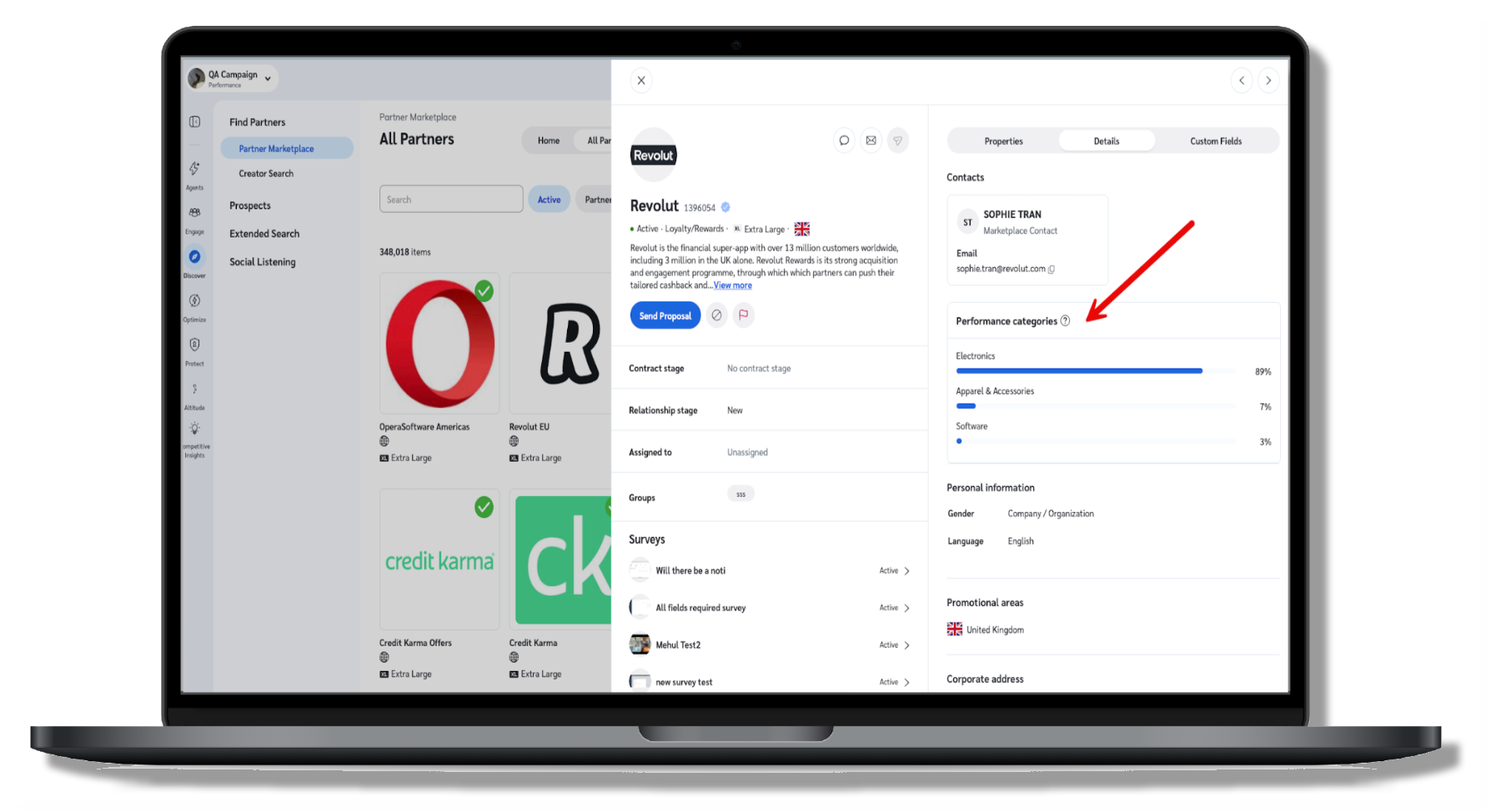
Open a partner's slideout and look under Details for the new Performance Categories chart. It breaks the partner's revenue down by product category, showing only the categories that make up more than 1% of their sales. This is often the missing "why": a partner or recommendation that doesn't look like an obvious content match might still be converting well in a category you'd never guess from their posts.
Note: this is built from retail transaction data, so it only shows up for partners with a meaningful volume of tracked retail sales. That means it can be blank even for a partner who's clearly productive, if their revenue mostly comes from a non-retail vertical like finance. When the chart is there, treat it as a strong signal you're looking at a productive partnership.
Available in: all editions.
Coming soon: Segment on any custom field
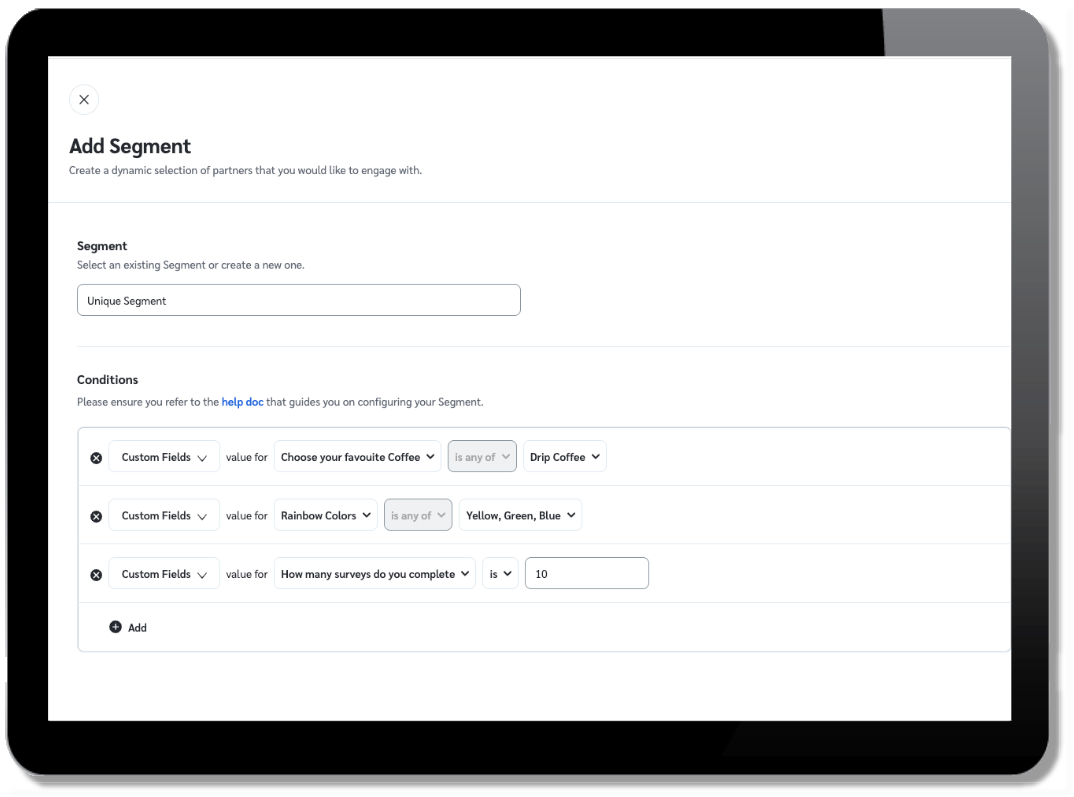
Segments are getting a big upgrade. Today, custom fields come from your partners' survey responses. Soon, you'll be able to build a segment using any of those custom fields on a partner's profile. This means you'll be able to create hyper-targeted newsletters and invite workflows. Say a custom field captures a partner's preferred product category or content interest: you could invite them to a program or campaign, or just keep them in the loop on what they told you they care about. No manual list-building required.
Look for this update in the coming weeks!
Available in: all editions.
Insert an ad without leaving the email you're writing
Putting an ad in a newsletter means knowing its ad ID. So you leave the email you're writing, go to Ads, copy the identifier, come back, and type the token by hand. One wrong character, and the wrong creative goes out.
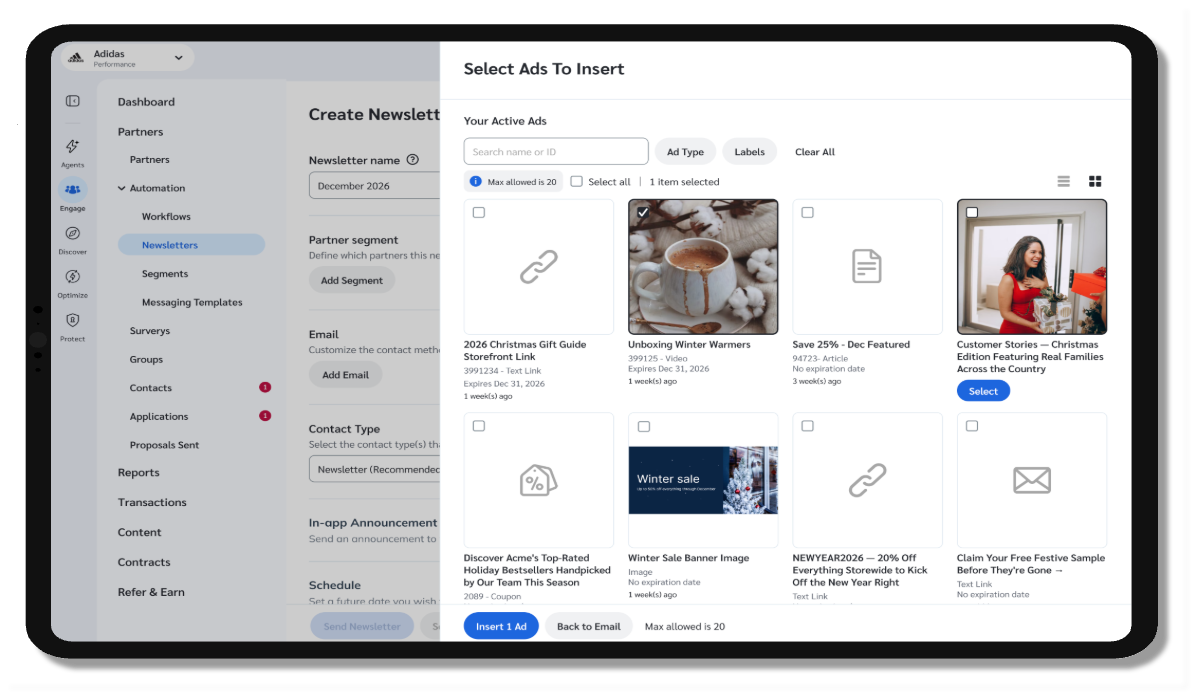
Soon you'll pick ads instead of typing them. In the email slideout, Insert Dynamic Tokens lists every token you can drop in, and choosing Ads opens your active ads with thumbnails. Search by name or ID, filter by ad type or label, switch between tile and list view, and select up to 20 at once. Each one lands in the body with its thumbnail, name, and ID, so you can see exactly what you added.
Two limits worth knowing: 20 ads per insert, and removing one still means deleting it from the body yourself.
This feature is coming soon and will be available in the coming weeks.
Available in: all editions.
Effortless seasonal promotions, zero JSONata, and safe pre-launch testing
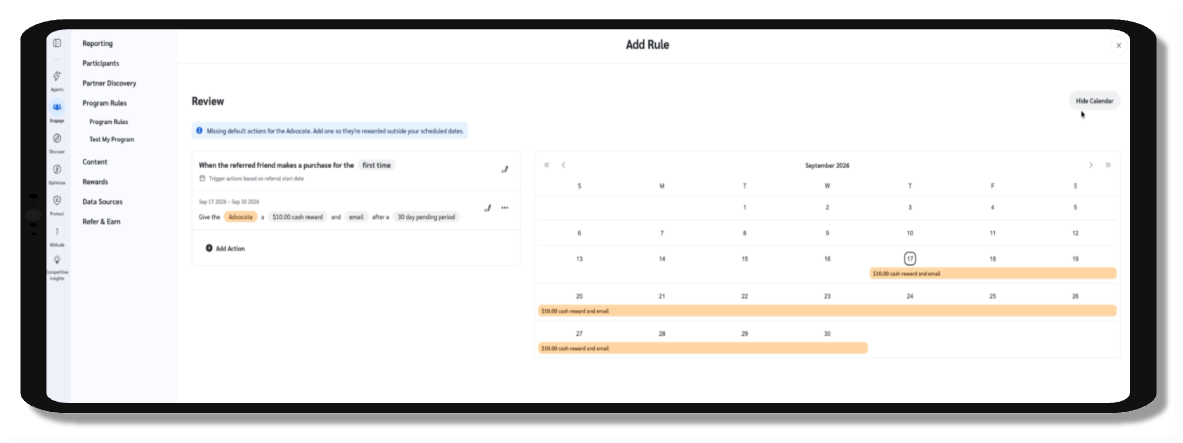
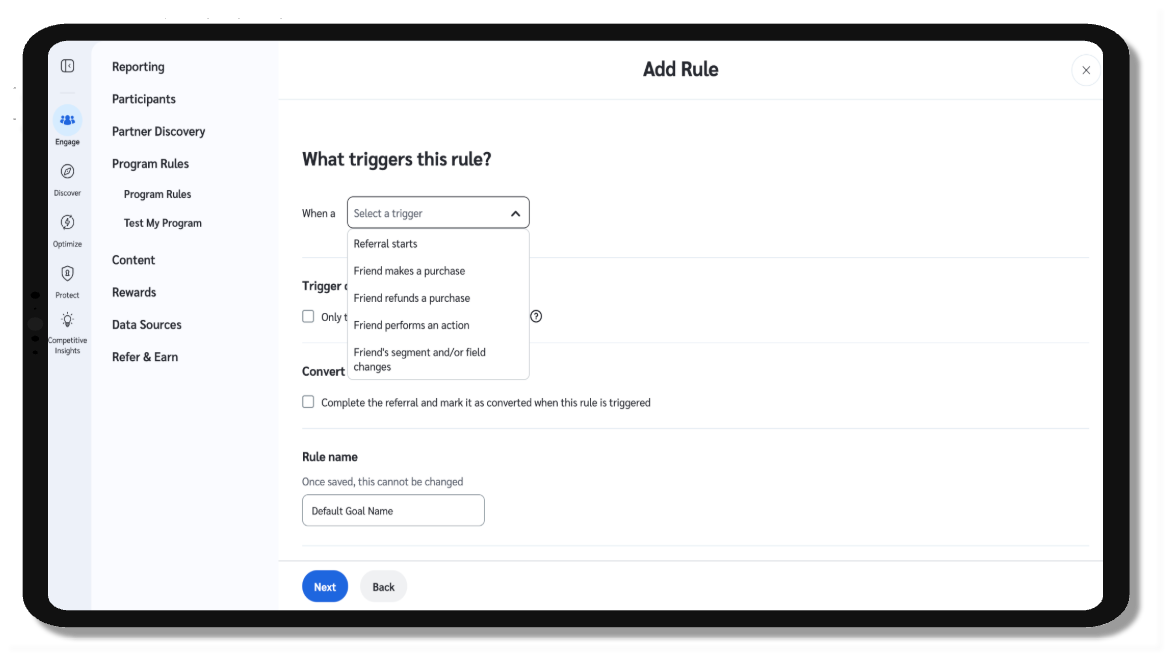
You no longer have to raise a ticket, write custom code, or wait on internal teams to run a holiday boost or limited-time campaign. With the launch of Self-Serve Time-Based Offers, brands can now schedule, manage, and automate time-bound promotional reward tiers directly from their dashboard, completely code-free.
Time-sensitive promotions are proven growth levers. Whether you're offering a boosted payout for a Black Friday rush or running a weekend flash referral bonus, you can now set start and end dates, define custom reward criteria, and let the platform handle the transitions automatically. No JSONata scripts, no manual maintenance, and zero guesswork.
Test before you launch with "Test My Program"
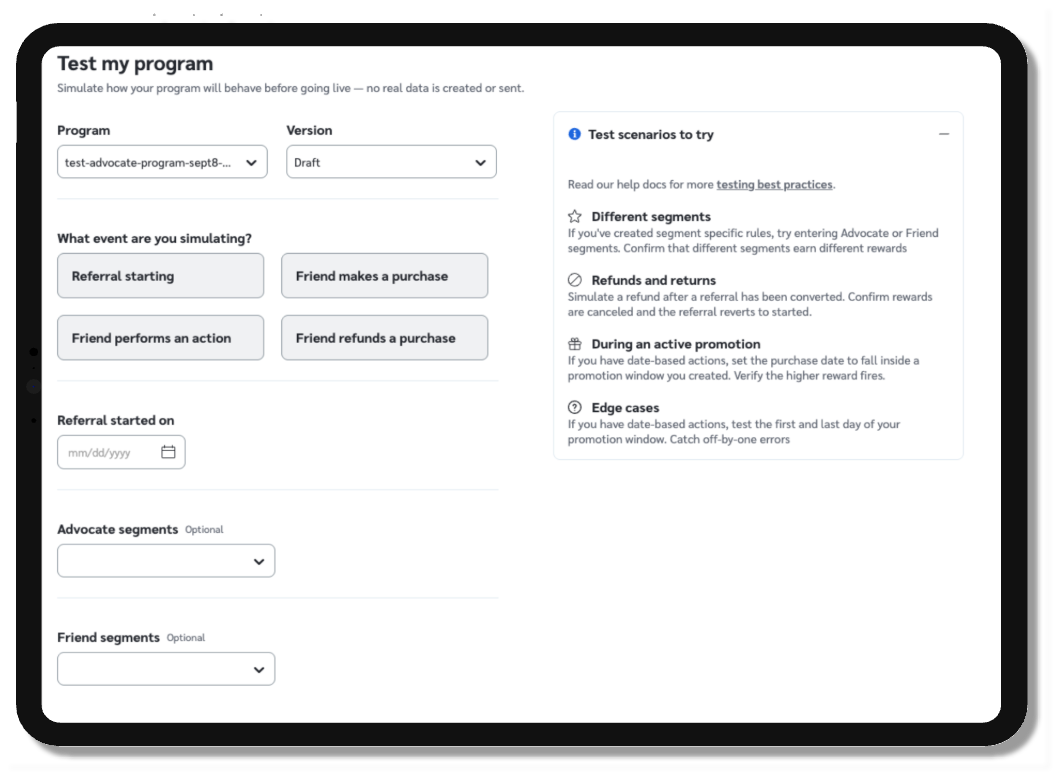
Launching new reward rules shouldn't feel like a leap of faith. We've also introduced Test My Program, a built-in simulation tool that lets you test conversion events against current and future dates. Preview exactly how your rewards will be calculated under real-world scenarios, catch configuration mistakes early, and eliminate payout errors before they ever reach an advocate.
What you'll find:
Zero-code scheduling: Set up, edit, or extend time-bound promotional tiers directly in the UI without writing a single line of script.
Pre-launch simulation ("Test My Program"): Simulate future-dated conversion and referral events to validate reward calculations before going live.
Clear timeline visibility: A clean, human-readable overview of all active, upcoming, and expired promotions in one place.
Both features are live and ready to use in your Advocate dashboard today.
Available in:
Time-Based Offers: Advocate, Premium editions.
Test My Program: Advocate, All editions (Base and Premium).
