- DATE:
- AUTHOR:
- The impact.com team
Significantly smarter AI, seriously shoppable Storefronts, and much more
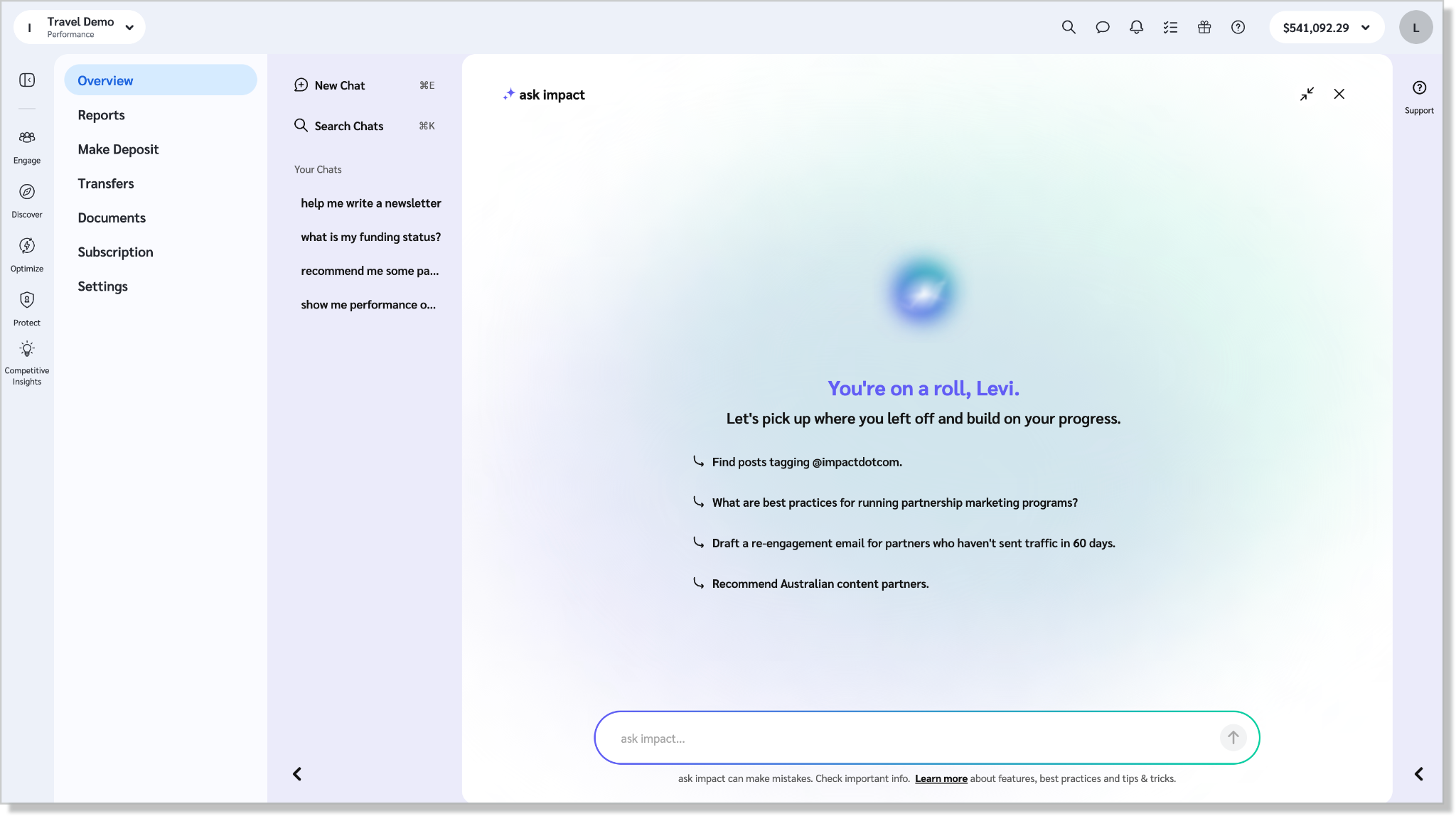
ask impact V2 is ready to answer all your questions
ask impact just got a full rebuild. Not just a patch release or minor version bump. A proper rethink of what an AI assistant inside a partnership platform should actually do, and then a lot of hard work to make it real.
V2 is live on your account now. No setup required.
What's new
Finance Support: Live account-finance answers in chat, not a link to a help article. "What's the funding status of my account?" works exactly as you'd expect. Answers are scoped to your account, and when something needs updating — like a payment method — ask impact shows you where to go.
Partner Recommendation Evaluation: Every partner recommendation now comes with a match percentage. Click the lightbulb on any card, ask "Why is this partner a good fit?", or ask ask impact to compare two recommendations head to head. You get verdict, strengths, concerns, and recommended next steps. A case for each option, not just a ranked list.
What's better
The model underneath ask impact has been upgraded. Every existing capability like performance analytics, product support, industry expertise, partner discovery, newsletter generation runs noticeably faster, with sharper analysis and more accurate answers than V1.
A few things worth trying right now:
Performance Analytics. Ask questions about your program data in plain language. Compare partners, programs, and time periods without going near a report builder.
Full Screen Mode. Switch to full screen, and it becomes a proper workspace. Better for research, better for anything complex.
Chat History. Your conversations are saved. Pick up where you left off. Build on what you already asked. No starting from scratch every session.
Take Me There. Get an answer and land directly on the platform page where you act on it.
Industry Expertise. Benchmarks, trends, and best practices from real market intelligence and PXA courses, surfaced in context so your strategic questions get grounded answers — not just data from your own program.
ask impact V2 isn't just a better help search. It navigates the platform, drafts content, pulls live finance data, deep-links to the right screen, and explains its own recommendations on demand. The shift is from answering questions about your program to actively helping you run it.
Available platform-wide.
Give your creators a shoppable Storefront built for your brand.
A creator's recommendation sends you a shopper who's ready to buy. Then the click lands somewhere generic, disconnected from the creator who sent them, with no curation and a link that stops working the moment the campaign ends. You see the click happen. After that, you're mostly hoping.
Storefronts gives each creator a dedicated, shoppable page for your brand, curated from your own product catalog and living inside the program you already run. Creators pick the products and bring the personality. You control the structure, the look, and which brand shows up: yours, front and center, with no competitors on the page.
Because it runs on your program, every click and every sale tracks and attributes natively through a new storefront ad type. No new integration to stand up, no third-party report to reconcile. Payouts flow through the same program the creator is already in, so nobody is chasing invoices or spreadsheets. And it's one durable link per creator, per brand, that keeps working and compounding long after a campaign wraps, instead of resetting to zero every time.
Publish your storefront and the creators in your program get access to Storefronts automatically, so they can start building their own right away.
One thing to get right before you start: a Storefront is only as good as the catalog behind it. You need an active product catalog connected to your program before creators can build. No catalog, no storefront, so make that your first check.
Storefronts is available on Creator Premium. Not on Premium yet? Talk to your CSM to get access.
Introducing Hashtag Content Linking
Chasing down creator posts for every campaign eats a week you don't have. Hashtag Content Linking finds that content for you and links it straight to the right campaign.
What's new
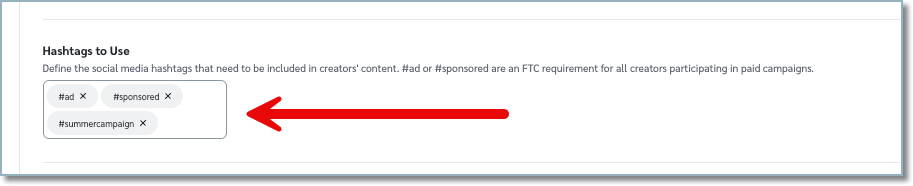
Set the hashtags creators need to use when they post. Once a creator publishes with those hashtags, impact.com detects the post and links it to the matching campaign task. No more asking creators to submit screenshots. No more manually matching posts to deliverables.
How it works
Add your campaign hashtags when you set up the campaign.
Creators connect their social accounts to impact.com.
When a creator posts using your hashtags, impact.com detects it and sends it to your review queue.
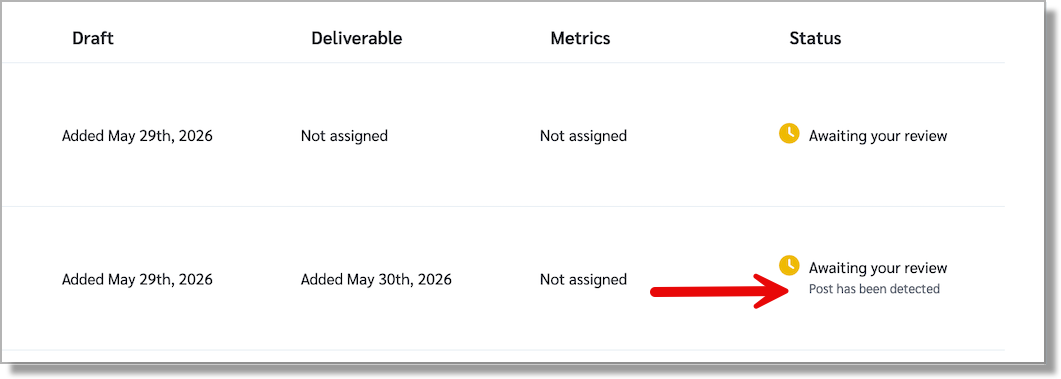
Review the linked content and approve or reject it, same as you do today.
A few things to know
Creators must connect their social accounts via OAuth for their posts to be detected.
This works across supported social platforms. TikTok isn't supported.
For accurate detection, use hashtags unique to each campaign. Reusing the same hashtag across multiple campaigns can cause posts to link to the wrong one.
Every linked post still goes through your review queue. You keep final say on what counts.
For more information you can check out the help doc here.
Available in: Creator (all editions)
Report a partner you don't trust, right from their profile
If a partner is behaving fraudulently or breaking your program terms, you can now report them without leaving the platform.
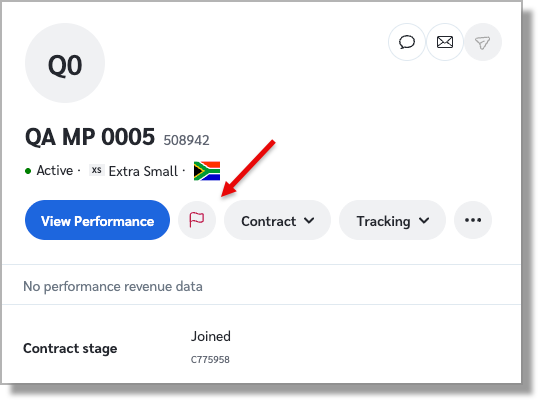
Look for the flag icon on the partner's profile. Click it, describe the issue, and add supporting evidence. The report goes straight to our compliance team for review. The flag icon appears on every partner profile, including in the Discover marketplace, so you can report a partner even without an existing relationship or application.
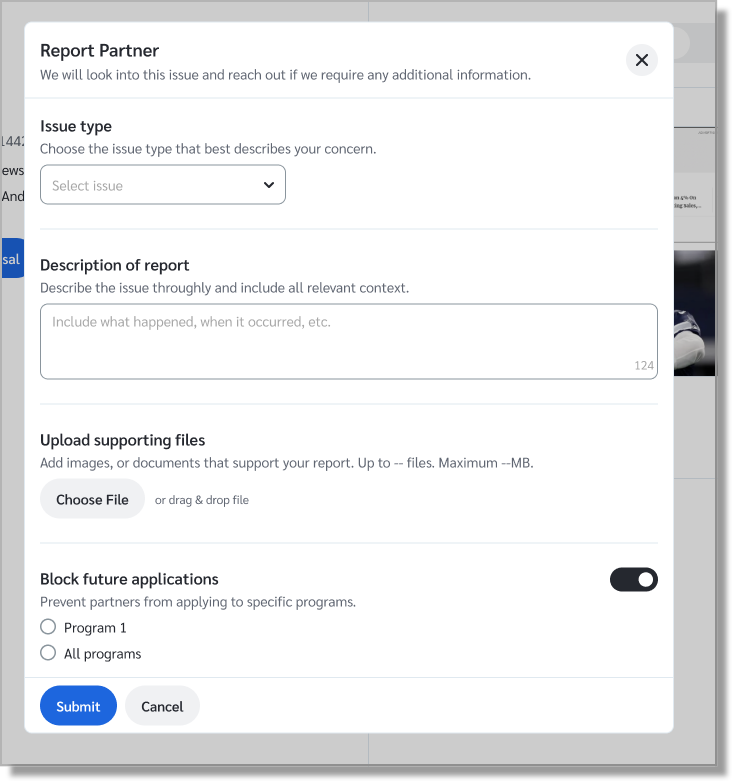
You can also choose to block the partner from applying to your programs while the case is under review, for a single campaign or across all of them. Alternatively, you can report and allow the partner to continue applying until the review is complete.
Available in: Performance and Creator (all editions).
Partners can now search for products by product brand name, so make sure your catalog is presentable
Partners can now search and filter product marketplace listings by the brand name of the product, not just by the retailer selling it. This is available for an initial set of retailers and brand names, and will grow over time. That means the manufacturer field in your catalog is doing more work than before; it’s what determines whether partners find your products under the right name.
We have normalized this data, cleaning up common inconsistencies. But the accuracy of these search results is only as good as the catalog data you provide. If your manufacturer field is incomplete, inconsistent, or empty, it’s worth reviewing now that it’s partner-facing in a new way. Partners now get a faster, more precise way to find your products, wherever they’re sold. Cleaner catalog data means better visibility for you.
Available in: Performance and Creator (all editions).
Create partner tools with Custom Widgets
Custom Widgets are a simple way to provide partners with interactive tools and experiences directly within your program. With Custom Widgets, you can share resources like product catalogs, portals, or other custom experiences through a single URL. This replaces Flexi Ads with a more intuitive experience, making it easier to support how partners access information and engage with your brand without the complexity of managing traditional ad formats.
If you've been using Flexi Ads for this, your existing setup migrates automatically; no action needed.
Available in: Performance (all editions).
Support CSS partners in Europe without changing your program's tracking setup
Comparison Shopping Service (CSS) partners, such as PriceGrabber and Shoparize, can help promote your product listings through Google Shopping in Europe. They can be a valuable addition to your partner mix, especially for advertisers looking to expand Google Shopping visibility and improve bid efficiency.
But CSS partners typically can’t promote standard affiliate links; they have to send traffic directly to the product page, without any tracking parameters. Working with them requires Direct Tracking, in which tracking is based solely on the referring URL or landing page URL.
Now you can accept direct-link tracking parameters on product-page URLs while keeping gateway tracking as the default for the rest of your program. Gateway tracking remains the recommended setup for most partnerships because it generally provides stronger click attribution, but this update gives you more flexibility to support CSS use cases without changing your broader tracking configuration.
To use this feature, you'll need the Universal Tracking Tag or Page Load API active.
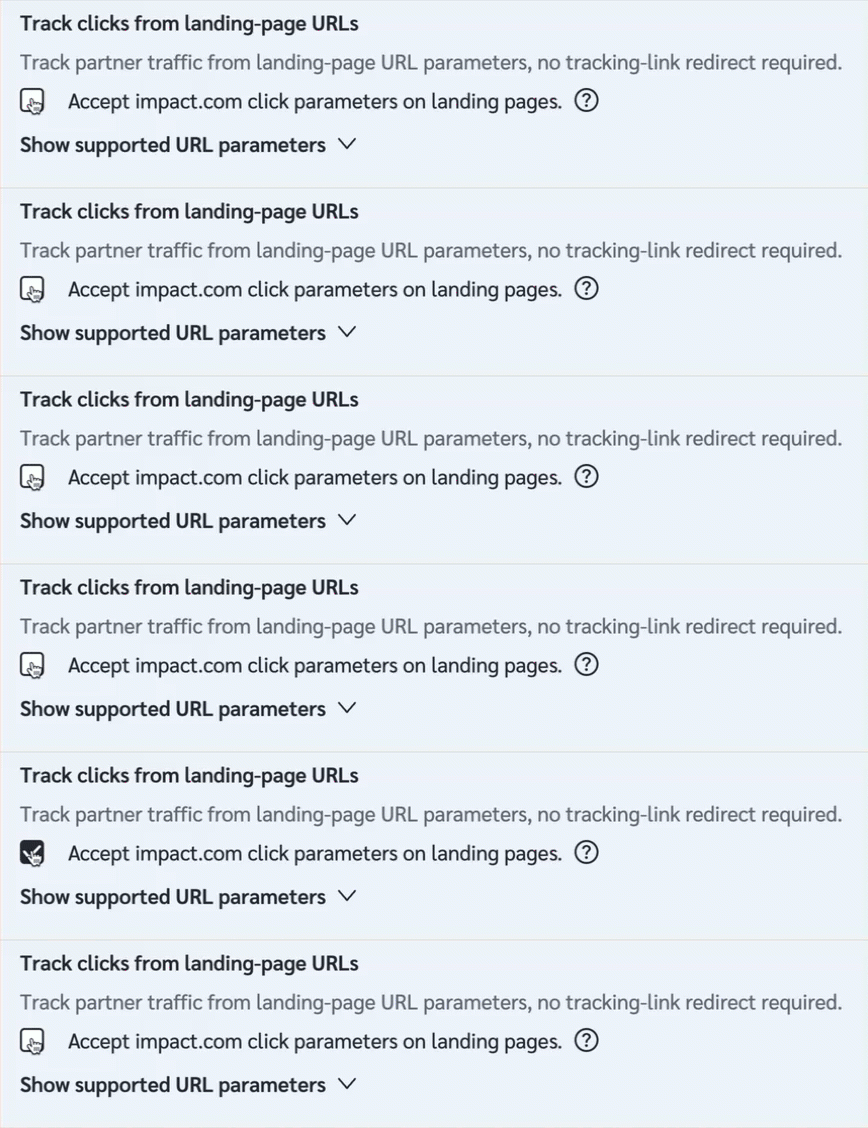
To enable this feature, go to Settings (at the top right corner of your dashboard), then Tracking > General and toggle on "Accept impact.com click parameters on landing pages."
Available in: Performance and Creator (all editions).
Partnerships Experience Academy: New (free) course!
Performance Program Fundamentals Course: We built this certification to help you navigate the new UI and take advantage of all the powerful tools available on the impact.com platform. Discover a complete framework for building high-impact partnerships from the ground up, with strategies to discover partners, structure deals, and activate them from day one.
Learn how to measure results, optimize your approach, and refine what's working. Plus, unlock the tools and techniques to turn partnership management into a scalable, reliable growth engine for your brand.
