- DATE:
- AUTHOR:
- The impact.com team
April Release Notes
impact.com / performance
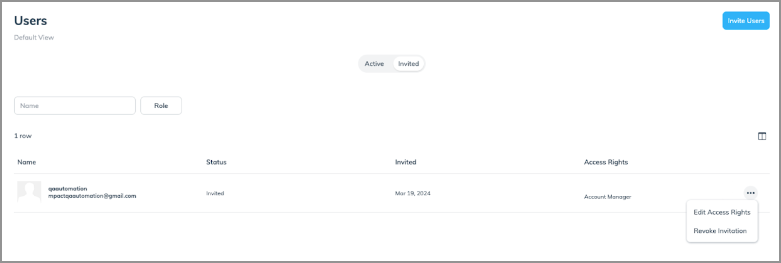
Have a lot of users on your account? You’re in luck– we’ve improved the Account User Screen for you.
Before this update, the Account User screen took a while to load– especially if you had a high volume of users tied to your account. This update offers faster page load speeds and smoother, lag-free scrolling. Plus– the user screen is now split into two views: "Active" and "Invited," which makes it easier to manage and locate specific users.
New, convenient self-service option for resetting Two-Factor Authentication (2FA) authenticator apps
With this update, you can reset your Authenticator App for 2FA without having to submit a ticket with support.
Here's how it works:
Login to your impact.com account and click the profile icon at the bottom of the left nav bar
Click Edit Profile and scroll to the Security section
Under Authenticator App, click Reset
Click Reset now
Follow the instructions in impact.com to reset your authenticator app
Enter the 6-digit code generated by your authenticator app
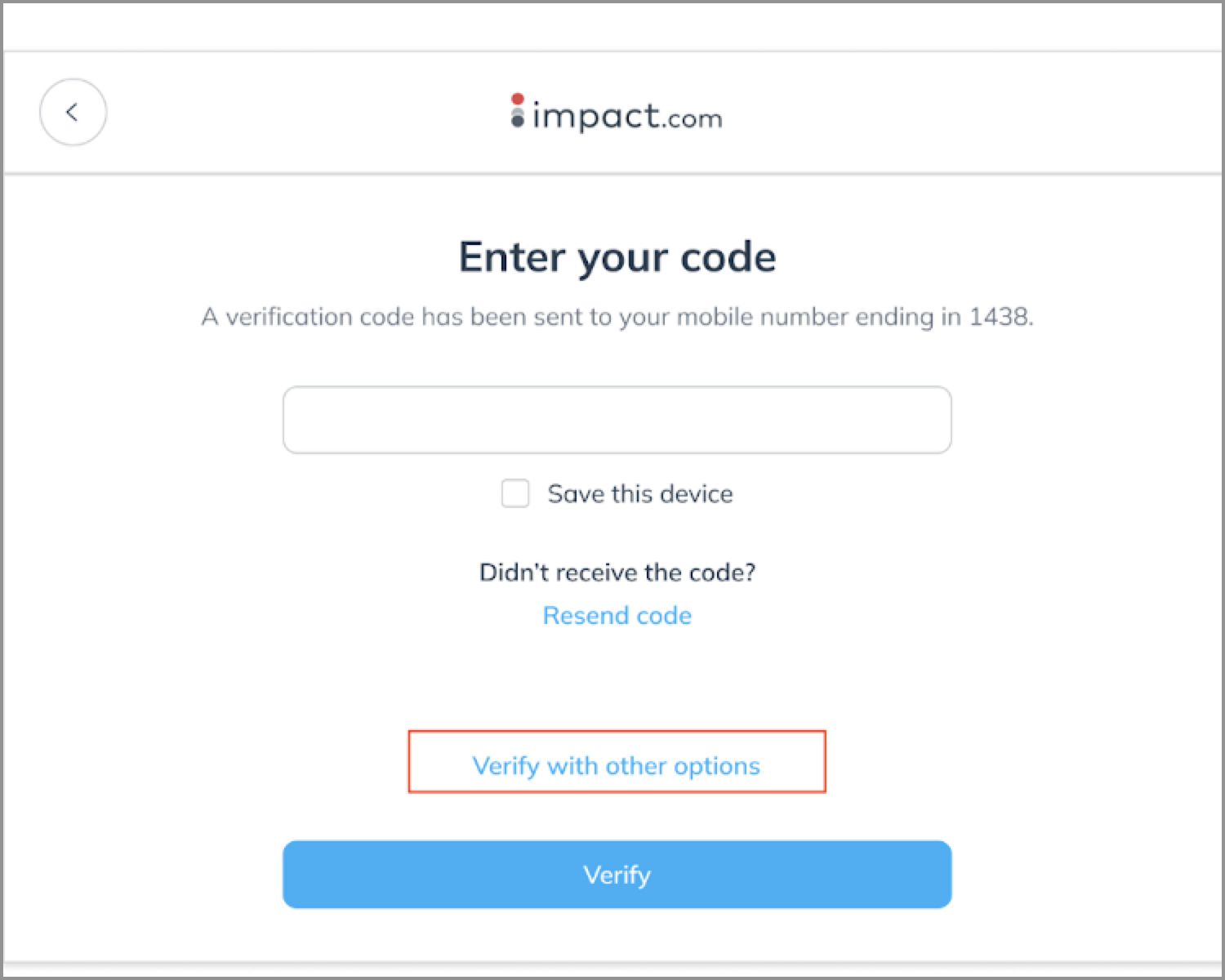
In the event that you lose your phone and cannot access your authenticator app, don't worry! You have options. If you've enabled multiple 2FA verification methods such as email or SMS, simply click on "Verify with other options" when prompted for your 2FA code on the sign-in screen. From there, choose the available verification option, enter the code, and then follow the steps outlined in the "Edit Profile" section to reset your Authenticator app.
Email notifications for scheduled terms
We're excited to introduce Partner Email Notifications for Scheduled Terms! Now, you will receive email reminders 3 days and 1 day before a scheduled term is set to begin. These reminders serve as helpful prompts to ensure that you’re are prepared for upcoming activities.
impact.com / creator
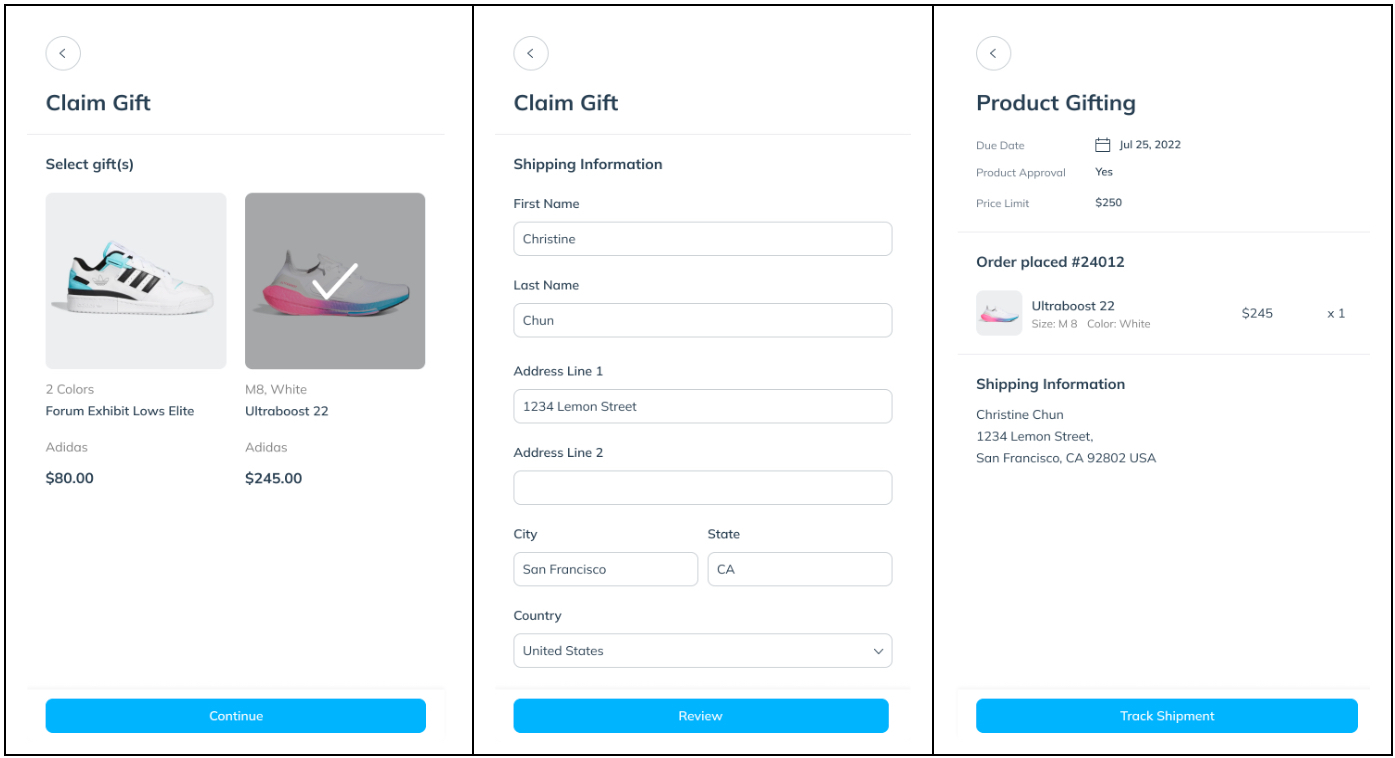
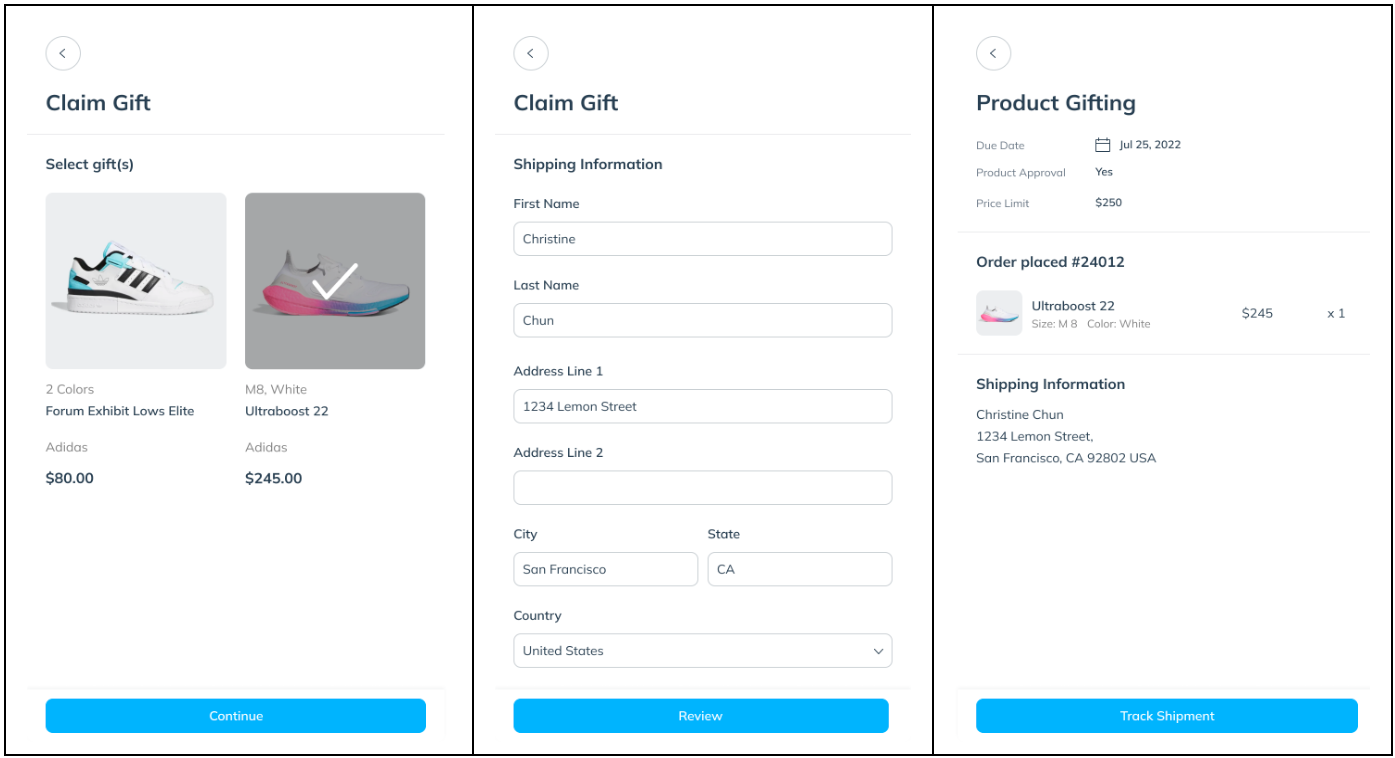
Product Gifting is now available!
Our Product Gifting feature allows creators to select eligible products and submit the order themselves. Creators select their preferred product and track where products are in the fulfillment and shipping process from within the impact.com / creator platform.
Simplified Campaign Proposal Process
Say goodbye to disabled buttons! We've removed them and added a helpful message in the SOW modal. Now, when a campaign proposal is in negotiation, brands and creators will see a clear indication that they're waiting for a response from the other side. This change eliminates confusion and streamlines the proposal process for everyone involved.
