Connect your AI to our MCP, get one daily digest instead of a dozen emails, and more
Your AI just got a key to impact.com
The highly anticipated impact.com MCP open beta is live. You don’t have to ask for an invite or wait for us to enable it for you. Go ahead and connect Claude, Cursor, or VS Code straight to your data and let your AI work with it directly.
This isn’t just a connection to your impact data alone. We built MCP Skills to get you going right out of the gate. These are ready-made workflows, so you're never staring at a blank prompt wondering where to start. Program recommendations. Promo code checks. Payout status. The Skill already knows the job; you just have to ask. You can check out the full setup guide right here: MCP Quick Start.
What "open beta" means is that we’re building this with you. The current toolset is focused, not exhaustive, and we'll be adding more as we hear from our users about what will be most useful. So we'd greatly appreciate your feedback.
Let us know what's working, what's not, and what you want us to add next!
The impact.com AI Trust Center is live
Your own compliance reviews just got a shortcut. The AI Trust Center is a public, standing record of how impact.com builds and runs AI across the platform, the kind of documentation your security team usually has to request and wait on.
It covers ask impact, the partner recommendation engine, and now our public-facing MCP too — same disclosures, same standard, no separate ask required.
What's in it for your review process:
Model cards per feature: provider, model type, intended use, and limitations, laid out the same way every time so they're easy to compare.
A published sub-processor list (Google / Vertex AI).
Data-handling detail broken out by feature, not a blanket statement.
Security and compliance alignment: SOC 1 Type II, ISO/IEC 27001:2022, PCI-DSS Level 4, GDPR and CCPA.
One digest instead of a dozen alerts
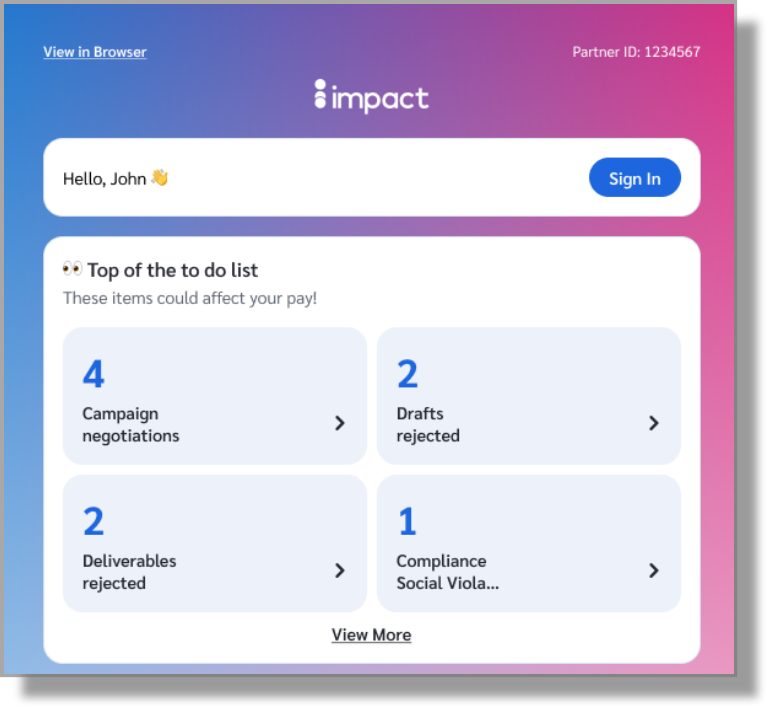
If you’re active on our platform, you may be getting dozens of individual emails a day for things like campaign negotiations, new invitations, and account updates. That's enough noise that critical items can get lost. We've switched the default delivery channel for select notifications from individual emails to a single daily digest, so all of that now arrives in your inbox as one message instead of many.
Each digest groups your updates into three sections: the top of your to-do list (negotiations, compliance violations, counter-proposals), opportunities (new campaign invitations and applications), and admin tasks (bank account updates, checklist items). Every tile deep-links straight to the relevant screen.
Turn your first-party data into a stronger offer for brands
If your users log in, earn rewards, or give you any consistent signal about who they are (high spenders, category loyalists, people who've never bought from a specific brand), that data has always been valuable. Monetizing it has been harder. You could talk about your audience in a sales conversation, but there was no standard way to pass it through to a brand's contracts and have it actually affect what you got paid.
Now there is. With the Audience parameter, you can pass a structured audience value alongside a conversion. If you and a brand have agreed that a certain segment warrants a higher payout (say, first-time buyers, or users with a high average order value) that gets reflected automatically when a conversion comes through with the right audience tag attached.
Two things to know before you start: the arrangement still happens off-platform, meaning you'll need to align with each brand on what segments you're offering and what they'll be called. And you'll need to be passing the audience parameter on your conversions for this to work.
Rewards platforms, content sites with paid subscribers, and any publisher with logged-in users are well-positioned to offer this to brands. If you work with brands that care about incrementality or user quality, this is a good topic to bring up with them.
Cleaner tiles in the product marketplace for easier scanning
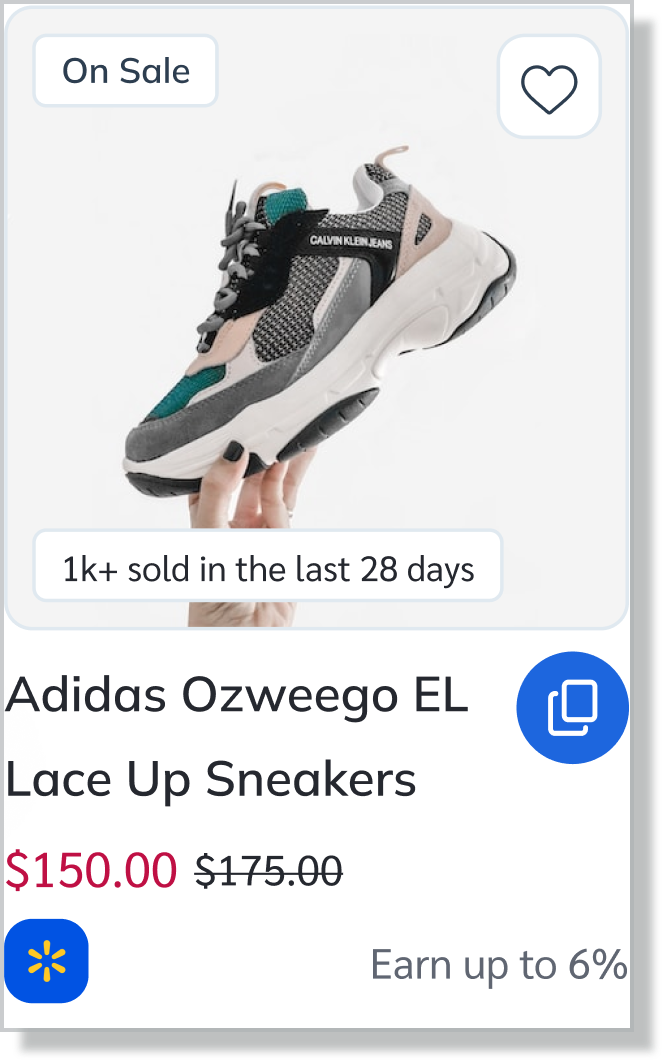
To make browsing more intuitive, we have made some targeted updates to how products are displayed. Tiles previously led with the program name, which didn’t really help you find specific products you were looking for. Now, the product name is upfront and clear, making it easier to find exactly what you are looking for. Longer names have also been addressed, wrapping across two lines and trimmed where needed.
We’re leaving names exactly as brands wrote them, including any extra details they’ve added. You will see the same version across the marketplace. Text-based brand names are gone, replaced with brand icons showing which brand(s) a product is tied to. When there are multiple associated offers, we pair the icon with a "+N" indicator, so partners can spot at a glance that more options exist. The old sales volume number under the price is now a recent sales badge, giving you a clearer read on what’s actually moving.
More control rolled out in the mobile app
Are you using our mobile app? If not, you should go grab it for iOS or Android. It's ok, we'll wait. Anyway, here's what's new in the latest version:
Download your statement of work (SOW) right in the mobile app: Partners can now download their SOW / Campaign Contract as a PDF directly in the mobile app. Tap ‘Download’ on any creator proposal or SOW, and the contract saves straight to your device, ready to view, save, or share on the spot.
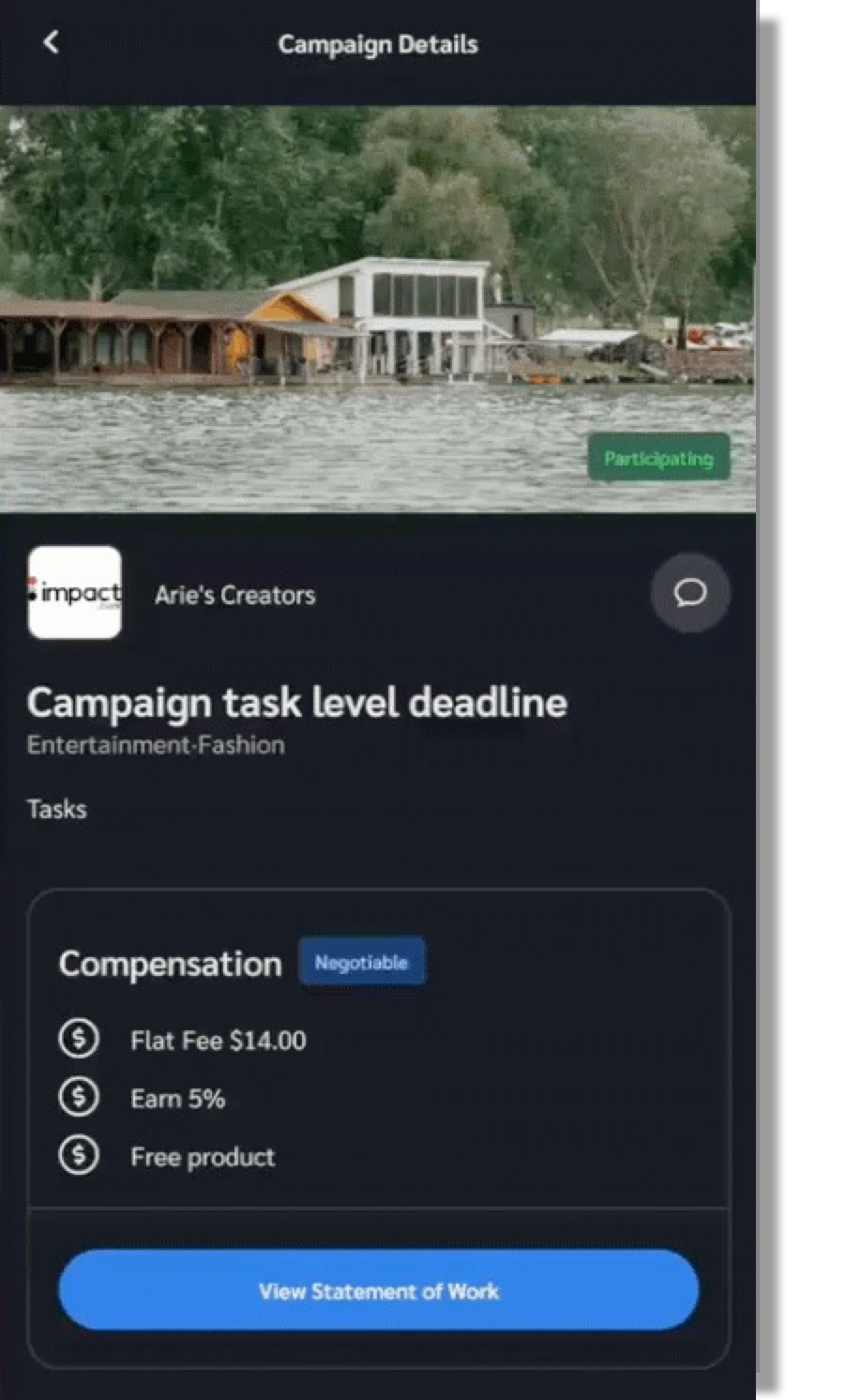
Task-level deadlines, right where you need them: Individual tasks within a campaign can now carry their own deadlines, separate from the campaign's overall timeline. If a brand sets specific draft, deliverable, or metrics due dates for a task, you'll see those dates on that task's details. Tasks without their own deadlines still follow the campaign-wide timeline, so nothing changes there.
Retrieve compliance violation tasks via API
Partners can now pull compliance violation tasks directly through the API instead of logging into the platform to view them. For partners managing large volumes of data, this is a game-changer. You can integrate the data into your own systems, automate workflows, and process violation tasks at scale without having to go back and forth between platforms.
Heads up! Four reports are going away.
Our new Content & Campaign report consolidates four separate reports. As a result, we plan to deprecate the four reports it replaces—Performance by Brand, by Campaign, by Social Platform, and by Post—on October 1st.
If you rely on any of them, make the switch to Content & Campaign Overview today to avoid disruption.
