- DATE:
- AUTHOR:
- The impact.com team
December Release Notes
Use links or email addresses to invite creators to campaigns
Now you can invite creators to your campaign by email or by sharing the campaign link that includes campaign details. This will allow new creators to make an account and existing creators to log in and apply to the campaign. Creators who sign up through these links are auto-approved to the program to ensure they can apply to the campaign without any delays.

You can also go into a campaign and click ‘Invite Creators’ to invite via email addresses. The email will contain a campaign overview and an invite link to the campaign.
Terminology change from "bid" to "rate"
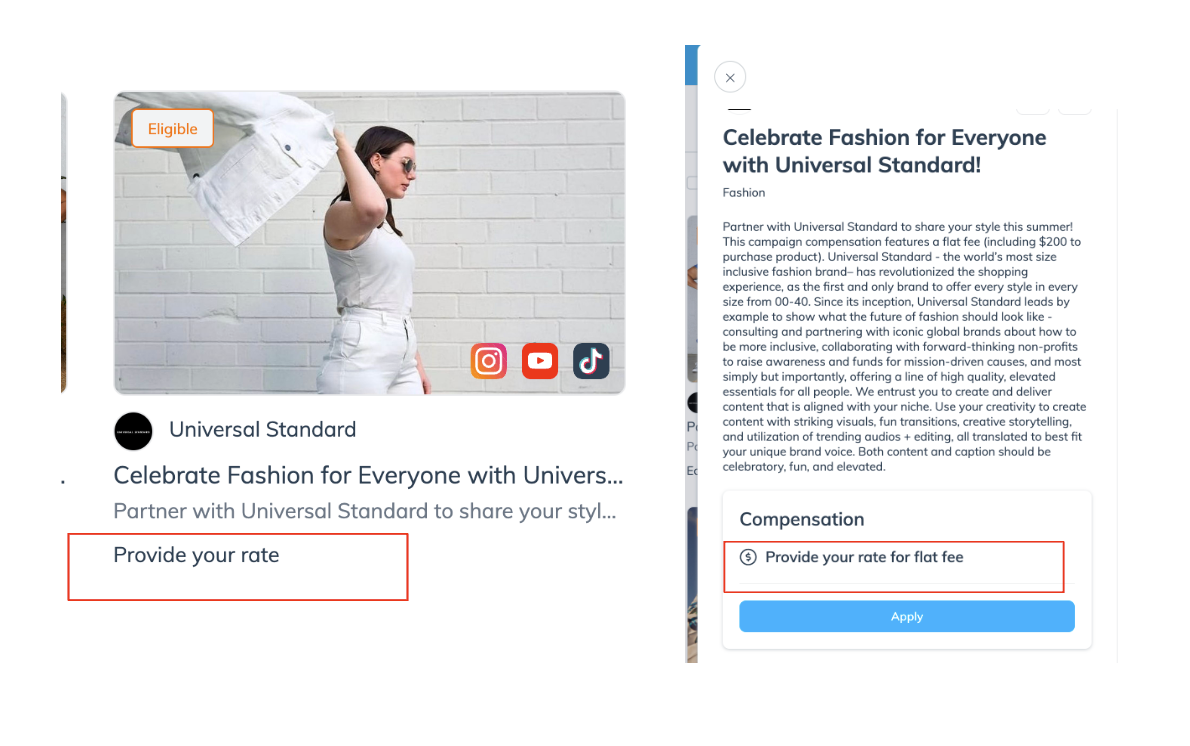
Creators have told us they prefer the term "rate" over "bid," so we're changing the term from 'bid' to 'rate.' If a brand chooses creator bid as the flat fee compensation type in the campaign marketplace, it will be shown as "Provide your rate" on the listing and "Provide your rate for flat fee" on the slideout to creators.
Add or remove tasks in campaigns post-hire
Adding or removing tasks from a creator's Statement Of Work (SOW) is now incredibly simple. You can now assign new tasks to creators periodically or ask creators to post more content within the same campaign. Changes are implemented right away as they do not need the creators' consent. The user, change, date and time of the change are updated in the Statement Of Work (SOW). Remember that you cannot edit existing tasks; only remove or add additional tasks.
View long application messages
The character limit for application messages has been increased from 500 characters to 2,000 characters, including spaces. When reviewing applications, you will now be able to see the full application message by clicking the "View Proposal" button."
Ability for creators to submit metrics screenshots
A creator can now upload screenshots of metrics they submitted manually on the insights pages for their posts. When reviewing posts, you'll see metrics and the screenshots uploaded by creators to help verify that data is being reported accurately
New default sort order for the campaign marketplace
Finding new campaigns used to take extra effort since they were sorted in order of oldest to newest. But now, it’s easy for creators to find newly posted campaigns and identify new ones that have been posted since their last login. The campaign marketplace’s sort order will default to show newly launched campaigns at the top.
