- DATE:
- AUTHOR:
- The impact.com team
New help center, easier login, and more
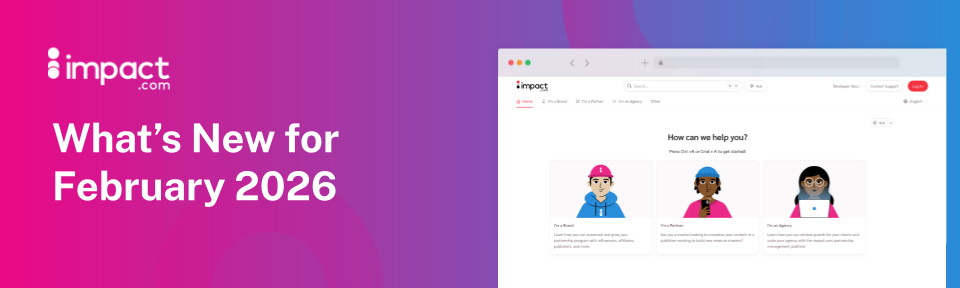
Get answers faster than ever with our new help center
When you need answers, you need them fast — whether you’re troubleshooting, learning a new feature, or onboarding a teammate. Our updated help center is designed to get you to the right information quicker and more easily than ever before.
What’s new:
Faster performance — Pages load more quickly, so you can spend less time waiting and more time solving.
Improved mobile experience — A cleaner, more responsive design makes it easy to find answers from any device.
Smarter search — Enhanced search capabilities help you surface the most relevant content faster.
Ask AI — Get instant answers with our new AI assistant, trained directly on impact.com documentation and system knowledge.
It’s a more intuitive, responsive support experience — built to help you find answers with less friction. Check it out at help.impact.com and let us know what you think!

Easier password reset
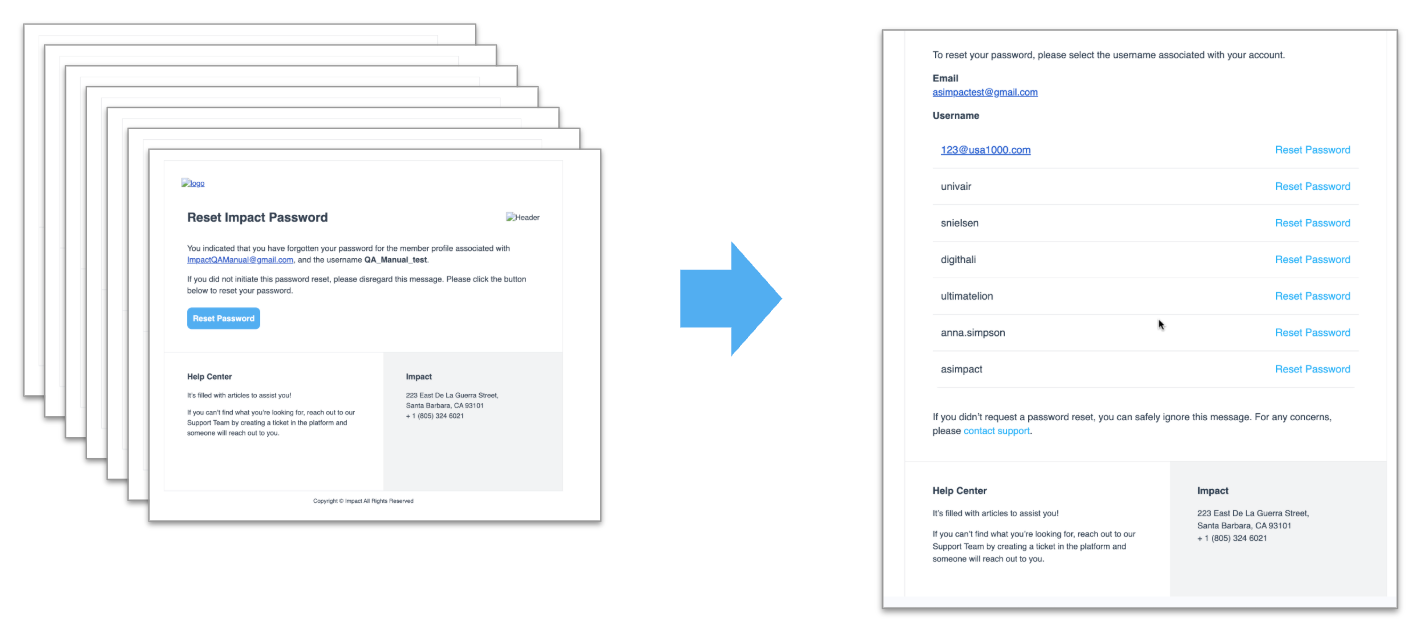
If you’ve been using our platform for a while, you may have more than one username associated with your email address. And if that’s the case, you may have noticed that when you reset your password, you get a separate email for each username that’s connected to that email address.
We have now taught our “Forgot Password” system to send a single email, instead of one for each username. You’ll now see a list of all the accounts connected to your email address, and you can choose which password you want to reset.

PS: You will only receive a password reset email if you sign into impact.com with a username and password. If you log in via SSO, you’ll have to handle that password reset process through your SSO provider (i.e. Apple, Google, X, Facebook, or LinkedIn).
PPS: We do have some good new for you SSO folks, actually. We have removed the two-factor authentication (2FA) requirement for SSO login. After all, you’re already doing the whole 2FA thing on the SSO provider’s side. There’s no extra security gained by having to do it again on our side — so now you don’t have to!
Coming soon: Grab the links you need more easily
Creating a link may be the most fundamental part of operating your business as a publisher or creator. So of course, we want to make it as easy as possible for you to find the right brand, add any parameters you need, customize the URL, and copy your link.
We’ve been working on a redesigned “Create a link” widget, and we’re beginning to roll it out in phases. You may not see it for a little while, but we wanted to give you a heads up so you know to expect the change.
If you want early access, there is one way to jump the queue — activate your free Trackonomics Essentials add-on. That will give you access to the new Create a link widget, with the added bonus that you’ll be able to use it to create links for any of your connected networks — not just impact.com!

Save time by filtering out brands who will automatically decline your application
Nobody likes rejection. Even those sales exec “thought leaders” who are always posting Wayne Gretzky quotes on LinkedIn don’t actually like being turned down. But when you’re applying to brand programs, some will say yes and some will say no.
Now, we can’t magically make every brand accept your application, but we can save you some time in the cases where it was never going to work out. Brands on our platform can set up “auto-decline” rules, where they tell the system what criteria would make them automatically decline an application. Usually that’s based on factors like geographic location, audience size, or promotional model.
With this release, we’ve introduced the option to filter out brands from the Brand Marketplace, if you match their auto-decline settings — like so:
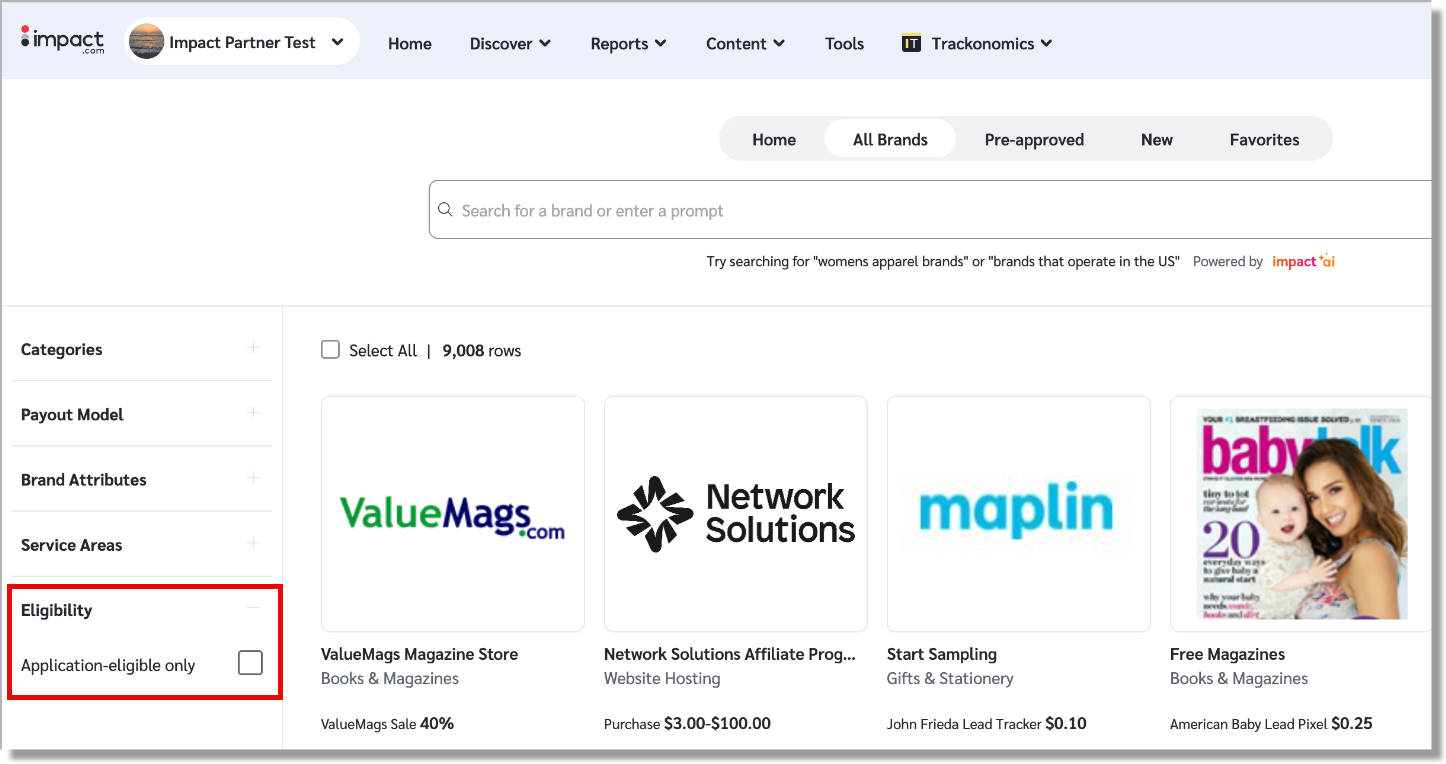
This option will be toggled off by default. If you do find a brand for which you’re not eligible to apply, we’ll still gray out the Apply button so you don’t waste your time!
Btw, there’s a flip side to all this; brands can also set up “auto-approve” rules. When you match those criteria, your application will be accepted instantly. So if you want to work with some new brands, like now, head over to the Brand Marketplace and click that “Pre-approved” tab
New in our mobile app: Clearer currency labeling across your account
Reporting now includes currency symbols, so earnings and amounts are clearer and more accurate at a glance.
Smarter filtering & faster ad retrieval
We’ve enhanced the /Mediapartner/:AccountSID/Ads endpoint to make retrieving ads more efficient and scalable for partners. These updates enable you to query only the assets that have changed in your library. We have included UpdatedDateStart and UpdatedDateEnd filters to make things even easier to manage.
Included in this update is an increase in the page size limit from 1000 to 5000, which means fewer API calls and faster bulk retrieval. These improvements reduce payload size, improve response times, and make high-volume integrations more efficient, and giving you more control with better performance.
Coming soon: Manage your subscription preferences by brand
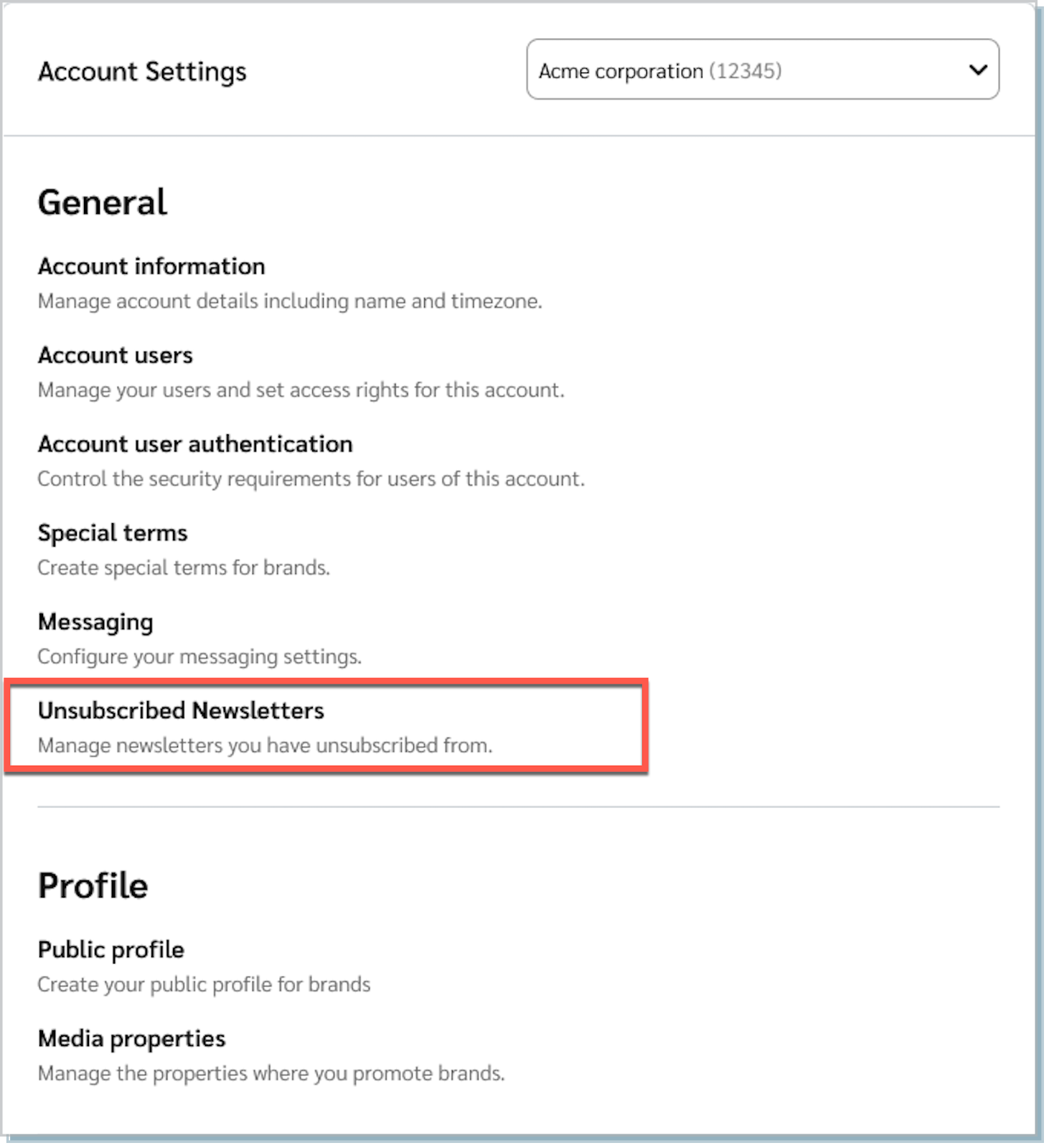
We’ll soon introduce a new Unsubscribed Newsletters page to give you full visibility and control over brand communication preferences. Once this goes live in a week or so, you’ll be able to view a clear list of all brands you have unsubscribed from and easily choose to resubscribe, directly within the platform.
This update enables transparent visibility into unsubscribe history and simple multi-select resubscription controls, giving you greater control over managing brand communications. By giving you preference management, we are making communication settings clearer, more flexible, and easier to manage.
Get ready for our fresh, new look
Since you’re clearly the sort of intelligent, suave, and — if you don’t mind us saying so — attractive person who reads all the way to the bottom of release notes, we’re going to let you in on a little secret: we’ve been working on a major refresh to our platform, and it’s coming soon.
You’ll notice an updated look and feel and a streamlined dashboard, but it’s more than just a coat of paint. We’ve rebuilt nearly every page in our platform using modern UI/UX tools, which will improve both performance (aka faster load times) and stability (aka fewer errors). Plus, we’ve redesigned many of those pages to be more intuitive and easier to navigate.
Here’s a sneak preview of the new look:
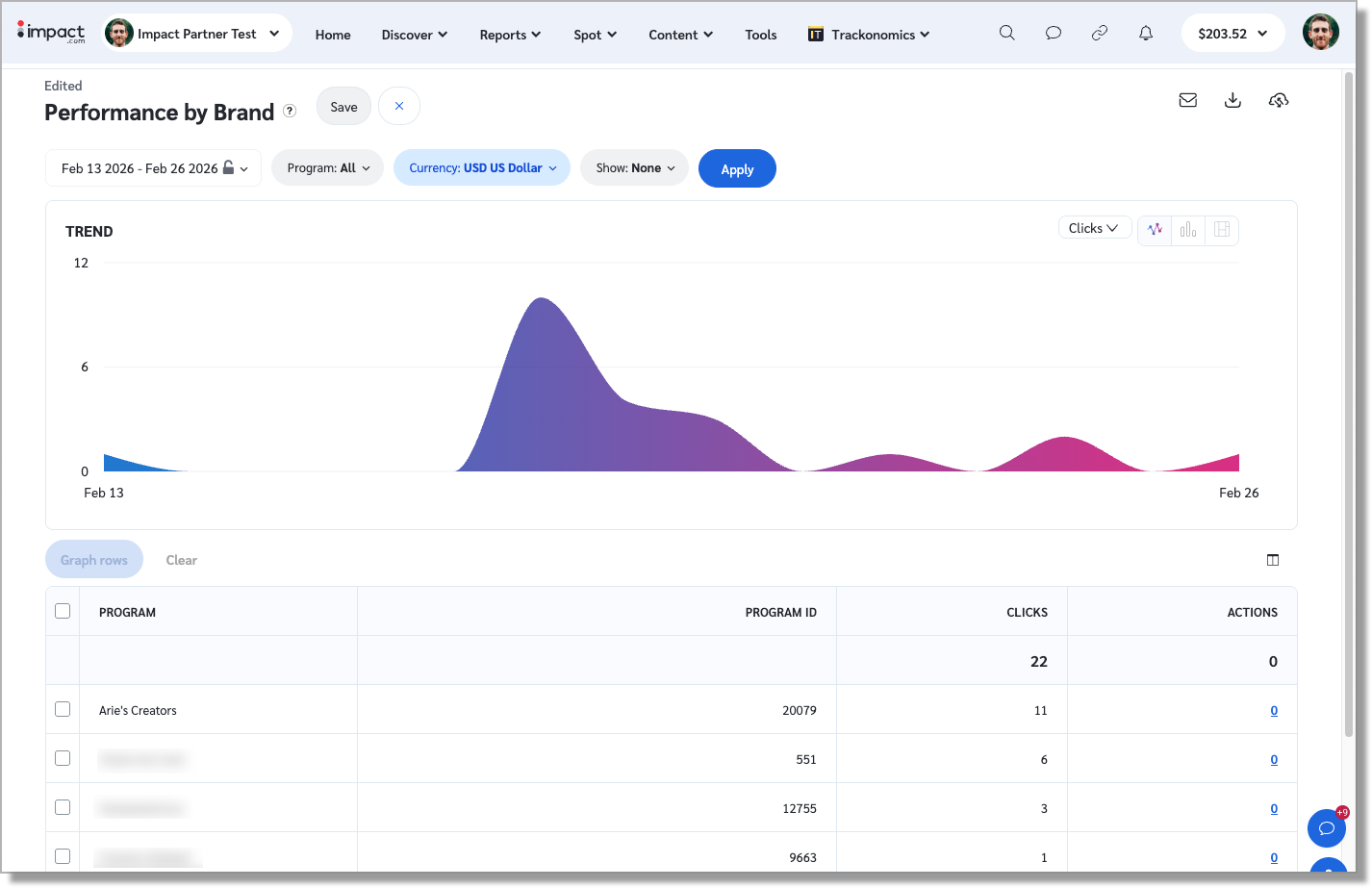
This is a big update, so we’ll be rolling it out in waves over the next few weeks. If you don’t want to wait, you can request early access using this form. Once you’re in, we’d love to hear what you think!
