- DATE:
- AUTHOR:
- The impact.com team
Our gifts to you: easily track performance of your off-site links, spot trends at a glance, and more
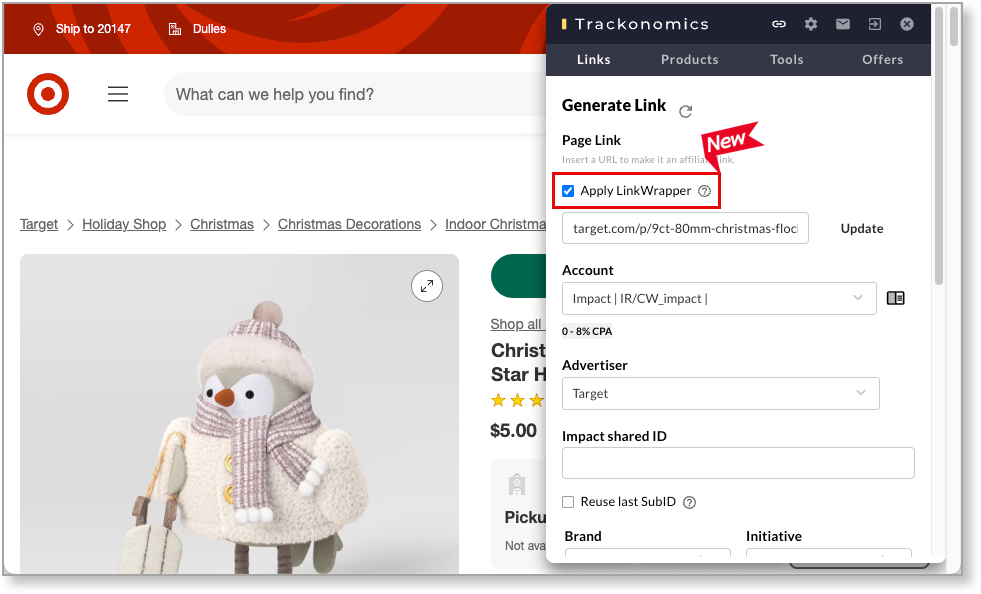
Wrap your off-site links with a click — no scissors, tape, or dev work required
You’ve probably already got our Link Wrapper running on your website — it automatically wraps affiliate links in our tracking and powers much of the data you see in Trackonomics. But until now, Link Wrapper wasn’t available in off-site channels like social media, newsletters, or syndicated content, leaving you with far less visibility into the clicks and conversions those placements drive.
That changes today. We’ve built Link Wrapper directly into the Chrome extension, so you can generate wrapped links, drop them anywhere, and get the same rich data you expect from on-site links — with zero installation and no dev work required. Editors can now create fully trackable links with a single click, and every parameter you care about — source, channel, author, campaign, and any custom fields — flows straight back into Trackonomics.
This means clear attribution across Instagram, Facebook, TikTok, newsletters, syndication partners like MSN or Yahoo, and any other off-site location. Admins can configure parameters and hide settings from editors for consistency, and once a user enables Link Wrapper, it stays on automatically. In short: off-site content is now measurable, optimizable, and fully integrated into your reporting, right from the extension.
See what’s changed at a glance with Performance Summary
Staying ahead of trends is one of the hardest — and most important — parts of running an affiliate program. Revenue can spike or slip for any number of reasons, and spotting those shifts early is key to protecting growth.
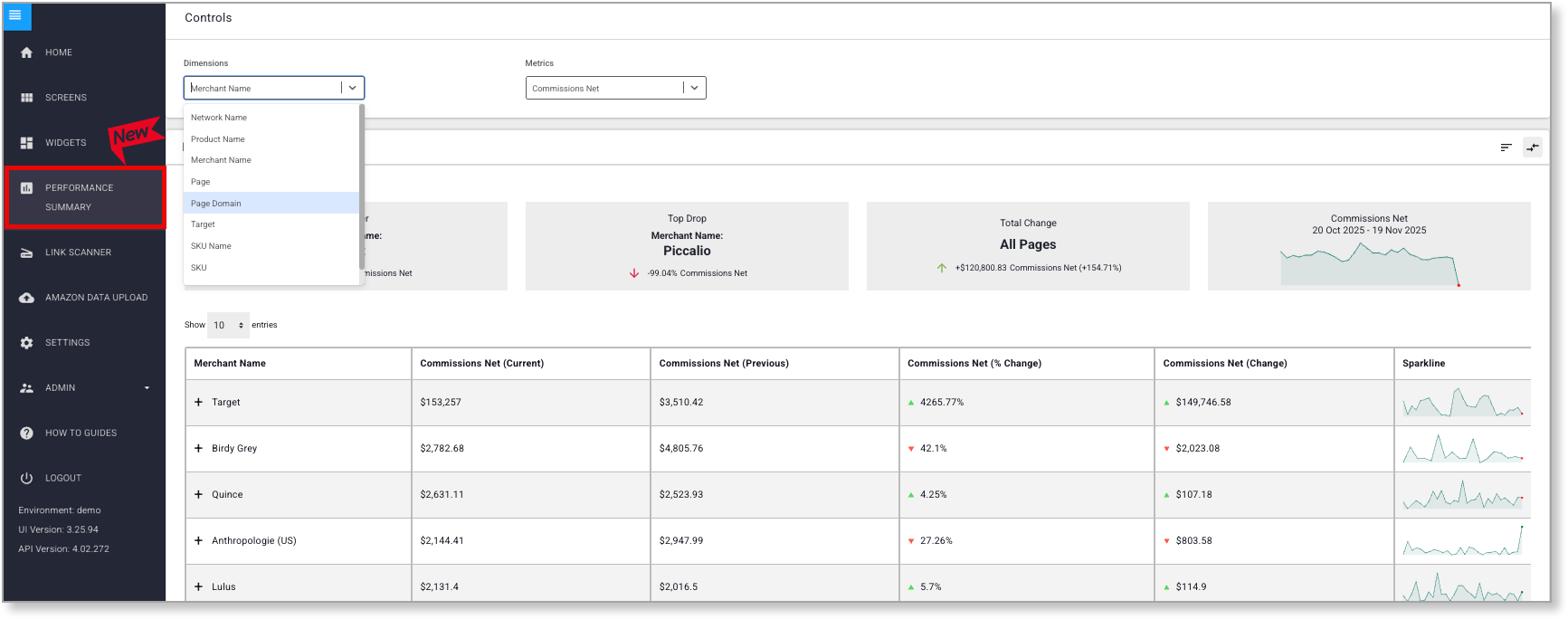
The new Performance Summary page (found in your left nav) surfaces those insights to you all in once place, with no setup required. See your biggest gainers and drop-offs by merchant, page, product, or network, and compare results period-over-period or year-over-year. Use it to quickly identify things like:
Pages that suddenly stopped driving sales
Merchants with declining commissions
Products that are selling particularly well
Pricing changes or shifts in demand
Traffic or click-through drops that signal deeper issues
Once you’ve spotted a change, you can drill in to understand whether that shift is driven by traffic, CTR, pricing, or demand. It’s a fast, centralized way to find what’s working, what’s not, and where to focus next.
Keep tabs on your tags
Do you ever find yourself wondering how many Amazon tags you have left? Wonder no more! Your account admins will now receive automated weekly alerts when Amazon tags run low or hit zero. You can set your own threshold for what counts as “low”, so you can ensure your team is notified in time to avoid gaps in page-level attribution before they happen.
And if you do need to add more tags, that’s never been easier, because you can now…
Add Amazon tags in bulk via API
Just like it says on the tin, you can now upload Amazon tags in bulk via API — no extension or manual syncing required. Just send your tags in an array and Trackonomics will ingest them, ensuring cleaner attribution and fewer sync failures for high-volume publishers. You can find the latest API documentation here — just scroll down to the “Upload Tags” section.
Refresh Your S3 Data Whenever You Need It
When you rely on S3 data drops to feed BI tools or internal dashboards, timing matters. But until now, refreshing that data meant waiting for the next scheduled drop or opening a support ticket — slowing down analysis and delaying decisions.
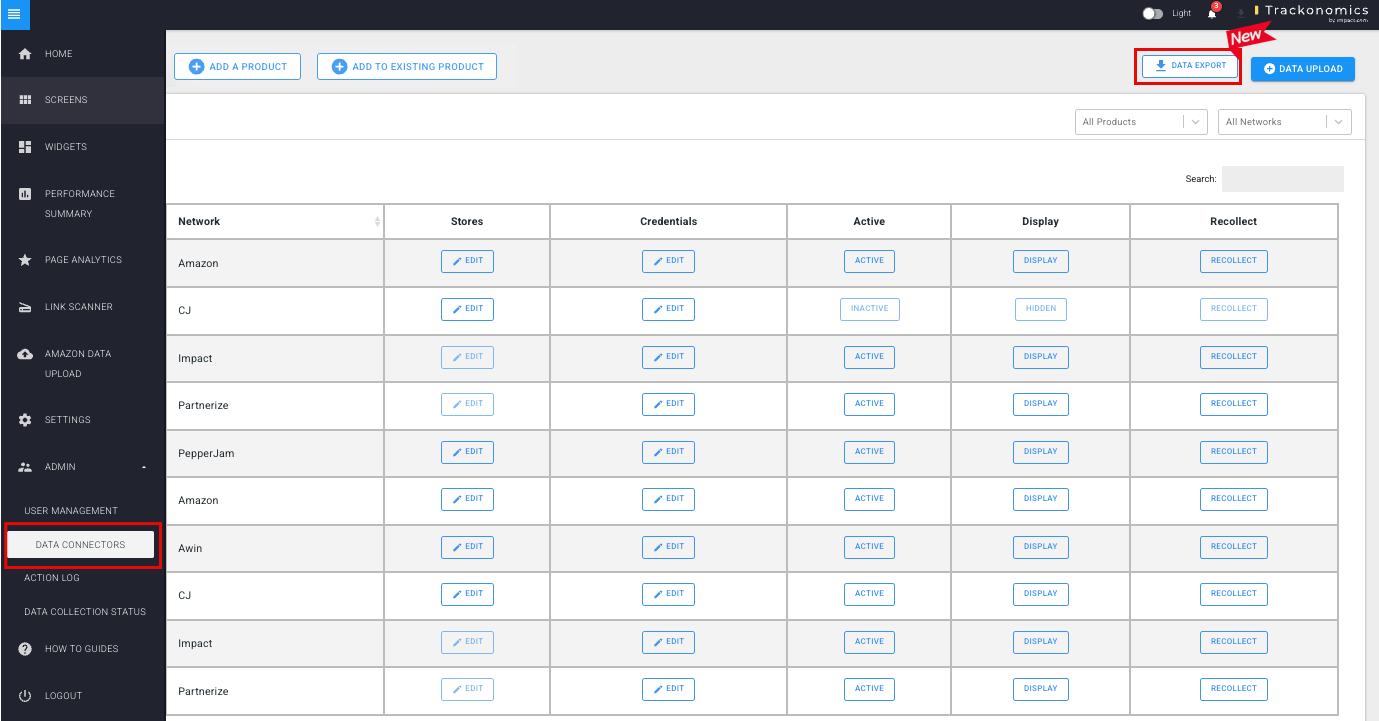
You can now trigger S3 data exports directly from the UI. Just choose your export type and date range, run it instantly, and you’ll be notified as soon as the updated files are ready in your S3 bucket. It’s a faster, self-serve way to keep your downstream reporting fresh, without depending on support or scheduled jobs.
Updated integration: AdMedia
Our AdMedia integration now supports full Link Generation in both the platform and the extension, making it faster and easier to build trackable AdMedia links without leaving your workflow.
Save time by setting a favorite account
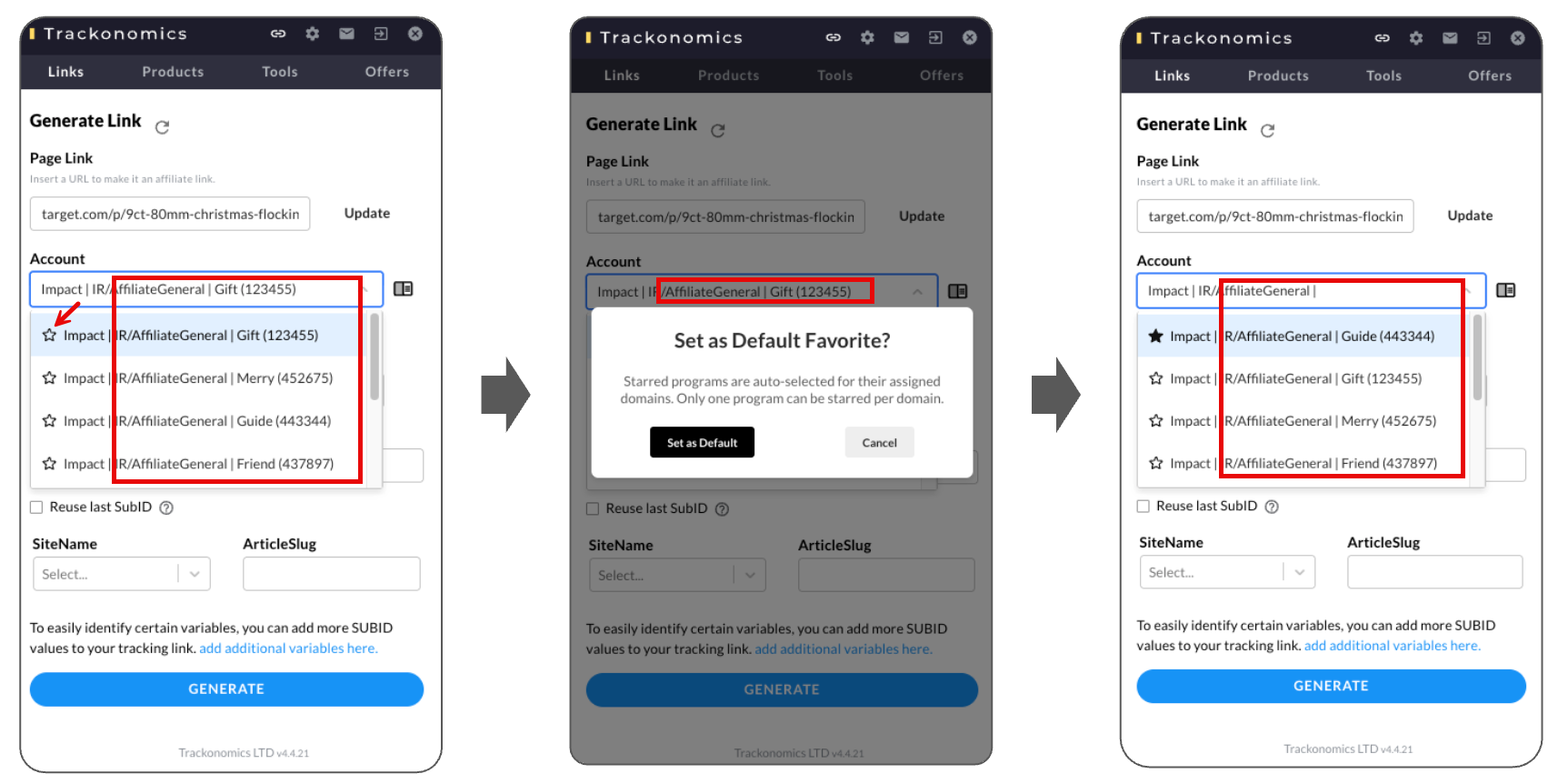
If you have several media properties or networks that are relevant for a given merchant, you previously had to select your desired account from a drop-down list each time you wanted to create a link.
Now, you can click the ★ icon next to an account to set is as your favorite. Whenever you want to create a link for that merchant in the future, that account will already be selected. Try it out — your clicking finger will thank you!