- DATE:
- AUTHOR:
- The impact.com team
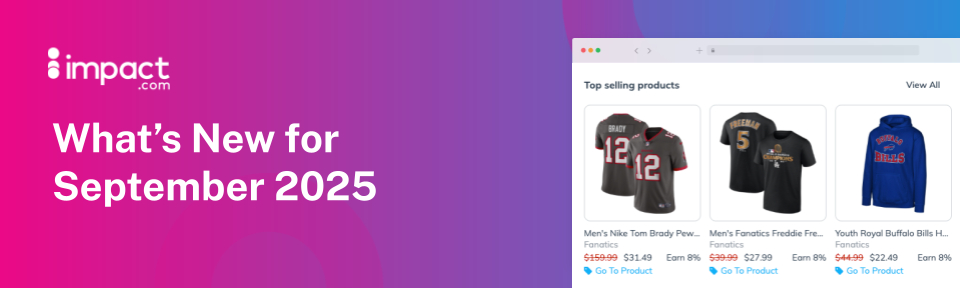
See top products at a glance, brush up on your skills with new courses, and more
Discover top products without leaving the brand slide-out
You can now see a brand’s top 3 performing products right inside the brand slide-out. No need to click away or dig through. You’ll instantly know which products are driving results and worth promoting.
Each product preview includes an image, name, and key performance metric so you can quickly gauge what’s popular. Want to explore further? Just hit the “View All” link to see the full list of that brand’s products in the Product Marketplace, already filtered for you.
This update helps you discover and promote the right products faster, so you can spend more time growing your earnings.
Partnerships Experience Academy: New (free) courses!
Getting Paid on impact.com for Partners
What really happens after you drive a successful conversion on impact.com, and why does getting paid sometimes take longer than expected? In this course, we’ll pull back the curtain and walk you through the full payment process, from tracking that initial click all the way to the moment your earnings hit your account.
Advanced Tracking and Attribution for Partners
In affiliate marketing, tracking is your secret weapon, the key to understanding not just what happened, but how, where, and why.
This course goes beyond the tracking basics on the impact.com platform, diving into tools like SubIDs, Shared IDs, and deep linking to help you customize tracking. Learn how to monitor offline performance with promo codes and unique URLs, automate data syncing with postbacks and piggyback pixels, streamline reporting with data feeds, and unlock greater earning potential through dynamic payouts.
View campaign terms in your Contracts API response
With this release, we’ve added a campaign terms object to the Contracts API response. You can now see the campaign name, start/end dates, payout rate details, and more. For more information, please refer to our help documentation.
We're making it easier to see your earnings, balance, and more
We’ve introduced new invoicing methods and updated key reports to make your financial information clearer and easier to manage.
Balance (Finance → Balance)
Separate columns/filters for Invoiced Entity and Brand on all payments
Quick drill-through to Transactions report
Pending (Finance → Pending)
Separate columns/filters for Invoiced Entity and Brand on pending earnings
Transaction filter renamed to Status (now also a column)
Transfers now have distinct status options
Transactions Report (Reports → More Reports / Balance link)
Aligned with Balance screen format (new columns & filters)
Withdrawal Details Report (Balance → Withdrawal)
Now shows a separate Invoiced Entity and Brand
New: Pending Earnings by Due Date Report (Reports → More Reports)
View and filter pending earnings by Brand and Status
Earnings are split into Finalized vs. Estimated
Breakdowns by Due Date, Action Month, Status, Program, and Brand
Closely aligned with the Pending screen
Monthly Earnings Report (Reports → More Reports)
Cash Overview removed (this detail is now available in Balance/Transaction Report and Pending/Pending by Due Date Reports)
Fixed timezone issues between drill-through reports
Renamed some columns for consistency with the latest terminology
